7 Powerful Secure Deployments Guardrails (Forensics-Ready)
Working angle: Engineering fast, safe, and forensics-ready feature deployments with guardrails that make production logic changes traceable, reviewable, and explainable—even under incident pressure.
Modern incidents don’t always start with “a hacker popped prod.” More often, they start with a production logic change: a rollout misconfiguration, a permission check refactor, a feature flag toggle, an auth middleware change, or a “temporary” bypass that never got removed. That’s why secure deployments are a security control—not just a delivery practice.

Why deployments are a security concern (not just an ops concern)
Deployments change your security posture instantly:
- Authorization & business logic drift: a small logic refactor can widen access.
- Misconfig-driven exposure: one wrong env var, route, CORS header, or debug flag can become a breach.
- Rollout control planes become attack surfaces: feature flags, canary weights, and runtime config are effectively “code execution policy.”
- Investigations depend on evidence: if you can’t prove what changed, who changed it, and where it rolled out, response becomes guesswork.
So the goal of secure deployments isn’t “slow down.” It’s guardrails: fast shipping with hard boundaries and forensic-grade traceability.
The 7 Forensics-Ready Secure Deployments Guardrails
Guardrail 1) Ship a build identity (and stamp it everywhere)
If investigations can’t tie production behavior back to a unique build, you lose hours (or days).
Minimum build identity fields
commit_shabuild_id(unique)pipeline_run_idactor(human or service)env(prod/stage)artifact_digest(hash)deploy_id(unique rollout identifier)
Example: build manifest generator (bash)
#!/usr/bin/env bash
set -euo pipefail

COMMIT_SHA="${GITHUB_SHA:-$(git rev-parse HEAD)}"
BUILD_ID="bld_$(date -u +%Y%m%dT%H%M%SZ)_${COMMIT_SHA:0:8}"
PIPELINE_RUN_ID="${GITHUB_RUN_ID:-local}"
ACTOR="${GITHUB_ACTOR:-$(whoami)}"
ENVIRONMENT="${DEPLOY_ENV:-dev}"

# Optional: image digest or artifact hash
ARTIFACT_DIGEST="${ARTIFACT_DIGEST:-unknown}"

cat > build-manifest.json <<EOF
{
  "build_id": "${BUILD_ID}",
  "commit_sha": "${COMMIT_SHA}",
  "pipeline_run_id": "${PIPELINE_RUN_ID}",
  "actor": "${ACTOR}",
  "environment": "${ENVIRONMENT}",
  "artifact_digest": "${ARTIFACT_DIGEST}",
  "generated_at_utc": "$(date -u +%Y-%m-%dT%H:%M:%SZ)"
}
EOF

echo "Wrote build-manifest.json: ${BUILD_ID}"
Example: stamp build_id into an HTTP response header (Node.js / Express)
export function buildStamp(buildManifest) {
  return function(req, res, next) {
    res.setHeader("X-Build-Id", buildManifest.build_id);
    res.setHeader("X-Commit-Sha", buildManifest.commit_sha.slice(0, 12));
    next();
  };
}
Outcome: every log, trace, metric, and customer report can correlate to a specific deploy.
Guardrail 2) Enforce “risky change” review with policy-as-code gates
Treat certain change types as “security-sensitive,” even if the code compiles:
Examples of high-risk surfaces
- authz checks, RBAC/ABAC policies, middleware
- billing / payouts / export flows
- admin routes, role changes, token/session code
- infra routes: ingress, WAF rules, CORS, headers
- runtime config & feature flag defaults
Example: CI “risk score” script (Python)
This scores changes based on paths touched and forces extra approvals.
import os, json, sys, subprocess, re

HIGH_RISK_PATTERNS = [
    r"auth", r"authorization", r"rbac", r"abac", r"policy",
    r"admin", r"roles", r"permissions",
    r"export", r"billing", r"payout",
    r"middleware", r"session", r"jwt", r"token",
    r"ingress", r"cors", r"headers", r"waf", r"gateway",
    r"feature[-_]?flag", r"rollout", r"config"
]

def git_changed_files(base_ref="origin/main"):
    cmd = ["git", "diff", "--name-only", f"{base_ref}...HEAD"]
    out = subprocess.check_output(cmd, text=True).strip()
    return [f for f in out.splitlines() if f]

def score(files):
    s = 0
    hits = []
    for f in files:
        for p in HIGH_RISK_PATTERNS:
            if re.search(p, f, flags=re.IGNORECASE):
                s += 10
                hits.append({"file": f, "pattern": p})
                break
        if f.endswith((".tf", ".yaml", ".yml")):
            s += 2
    return s, hits

if __name__ == "__main__":
    base = os.environ.get("BASE_REF", "origin/main")
    files = git_changed_files(base)
    s, hits = score(files)

    report = {"risk_score": s, "changed_files": files, "hits": hits}
    print(json.dumps(report, indent=2))

    # Example thresholds
    threshold = int(os.environ.get("RISK_THRESHOLD", "15"))
    if s >= threshold:
        print(f"\nBLOCK: risk_score={s} >= {threshold}. Require security approval.", file=sys.stderr)
        sys.exit(2)
Example: GitHub Actions gate (YAML)
name: Secure Deployments Gate
on: [pull_request]

jobs:
  risk_gate:
    runs-on: ubuntu-latest
    steps:
      - uses: actions/checkout@v4
        with:
          fetch-depth: 0

      - name: Run risk scoring
        run: |
          python3 .ci/risk_score.py > risk-report.json

      - name: Upload evidence
        uses: actions/upload-artifact@v4
        with:
          name: deploy-evidence
          path: |
            risk-report.json

      - name: Fail if high risk
        run: |
          python3 -c "import json; r=json.load(open('risk-report.json')); exit(2 if r['risk_score']>=15 else 0)"
Outcome: secure deployments that stay fast for normal changes, but tighten for risky changes.
Guardrail 3) Make rollouts measurable with canary + security canary metrics
Canary releases shouldn’t only watch latency and 5xx. For secure deployments, add security early-signal metrics:
Security canary metrics to track
- authz deny-rate spikes (per route/tenant)
- unexpected role/permission changes
- unusual data export frequency
- sudden admin route access
- spikes in token refresh / session creation
- config/flag toggles outside expected windows
Example: Prometheus-style alert rules (YAML)
groups:
- name: secure-deployments
  rules:
  - alert: AuthzDenyRateSpikeAfterDeploy
    expr: |
      (
        sum(rate(authz_decisions_total{decision="deny",env="prod"}[5m]))
        /
        sum(rate(authz_decisions_total{env="prod"}[5m]))
      ) > 0.15
    for: 10m
    labels:
      severity: high
    annotations:
      summary: "Authz deny-rate spike in prod (potential rollout bug or abuse)"
      runbook: "Check last deploy_id, build_id, routes with highest denies, recent policy changes"
Example: simple “deny-rate spike” detector (Python)
# Pseudocode: plug into your metrics source
def detect_spike(current, baseline, factor=2.0, min_events=100):
    if baseline["total"] < min_events or current["total"] < min_events:
        return False
    cur = current["deny"] / max(current["total"], 1)
    base = baseline["deny"] / max(baseline["total"], 1)
    return cur > base * factor and (cur - base) > 0.03
Outcome: you catch “logic broke security” within minutes, not after customer impact.
Guardrail 4) Write forensics-ready deployment logs (deploy events as first-class audit)
Your deployment system should emit structured audit events for each stage:
- build created
- approved
- deployed to stage
- canary started
- promoted
- rolled back
- config/flag changes
Example: canonical deploy audit event (JSON)
{
  "timestamp": "2026-03-03T09:12:31.442Z",
  "event_type": "deploy.promote",
  "deploy_id": "dep_20260303_0912Z_7c9d2f8f",
  "build_id": "bld_20260303T0908Z_7c9d2f8f",
  "commit_sha": "7c9d2f8f0f2b1c1f8a...",
  "environment": "prod",
  "service": { "name": "api-gateway", "version": "2.14.0" },
  "actor": { "type": "user", "id": "u_88421", "role": "release_manager" },
  "rollout": { "strategy": "canary", "weight": 25, "region": "us-east-1" },
  "change": { "pr": 1842, "risk_score": 18, "policy_gate": "high-risk-approval" },
  "artifacts": { "image_digest": "sha256:...", "evidence_bundle": "artifact://deploy-evidence/..." },
  "result": "success"
}
Tip: link deploy context into application logs
Add deploy_id + build_id as log fields in every request log line. This is the fastest way to answer: “Did this behavior start after the deploy?”
Guardrail 5) Evidence bundles: retain artifacts + rollout context by default
Forensics-ready CI/CD means every deploy produces an evidence bundle:
- build manifest (
build-manifest.json) - test results
- scan outputs (SAST/secret/dependency)
- IaC plan/apply output (if any)
- risk report
- approval decision + actor
- deploy event stream (or pointers)
Example: bundle evidence (bash)
mkdir -p evidence
cp build-manifest.json evidence/
cp risk-report.json evidence/ || true
cp test-results.xml evidence/ || true

# Optional: record tool versions
python3 --version > evidence/tool-versions.txt
git --version >> evidence/tool-versions.txt

tar -czf evidence-bundle.tgz evidence/
echo "Evidence bundle created: evidence-bundle.tgz"
Guardrail 6) Staging policies + safe rollout defaults (no “surprise prod”)
A surprisingly common failure mode: “It worked in dev” because dev is permissive.
Secure deployment staging policies
- parity of auth configs (OIDC scopes, RBAC policies)
- prod-like data shapes (sanitized)
- strict CORS/headers in stage
- staging must emit the same audit events as prod
- canary in stage before prod promotion for risky changes
Example: “policy gate” for environment promotion (pseudo)
IF risk_score >= 15 THEN
  require: security_approval = true
  require: canary_window_minutes >= 30
  require: authz_deny_rate <= baseline*1.5
  require: no new admin routes without explicit tag
ELSE
  standard approvals
Guardrail 7) Incident playbooks that answer “what changed and why?”
When something goes wrong, teams need a repeatable playbook that pulls the same evidence every time.
Deploy-focused incident questions
- What was the last deploy to prod? (
deploy_id,build_id) - Who approved it? (actor + policy gate outcome)
- What changed? (diff + risk report)
- What routes/tenants saw anomalies first? (telemetry correlated to deploy_id)
- Was there a rollback? Did it stop the signal?
- Did any config/flag change occur out-of-band?
Example: “what changed” collector (bash)
#!/usr/bin/env bash
set -euo pipefail

DEPLOY_A="${1:?old build commit sha}"
DEPLOY_B="${2:?new build commit sha}"

echo "Diff summary:"
git diff --name-status "${DEPLOY_A}" "${DEPLOY_B}"

echo ""
echo "High-risk files changed:"
git diff --name-only "${DEPLOY_A}" "${DEPLOY_B}" | egrep -i \
  "auth|rbac|abac|policy|admin|roles|permissions|export|billing|token|session|ingress|cors|feature|rollout|config" || true
How this integrates with post-incident forensic analysis
If your deployment events, evidence bundles, and telemetry correlate on deploy_id/build_id, then DFIR becomes:
- fast timeline reconstruction
- clear impact boundaries (“which tenants were affected?”)
- confident root cause (“logic change vs attacker activity”)
- defensible reporting for compliance and customers
If you need external support validating evidence integrity, reconstructing timelines, or packaging findings for stakeholders, consider Digital Forensic Analysis Services:
Where our free tool fits
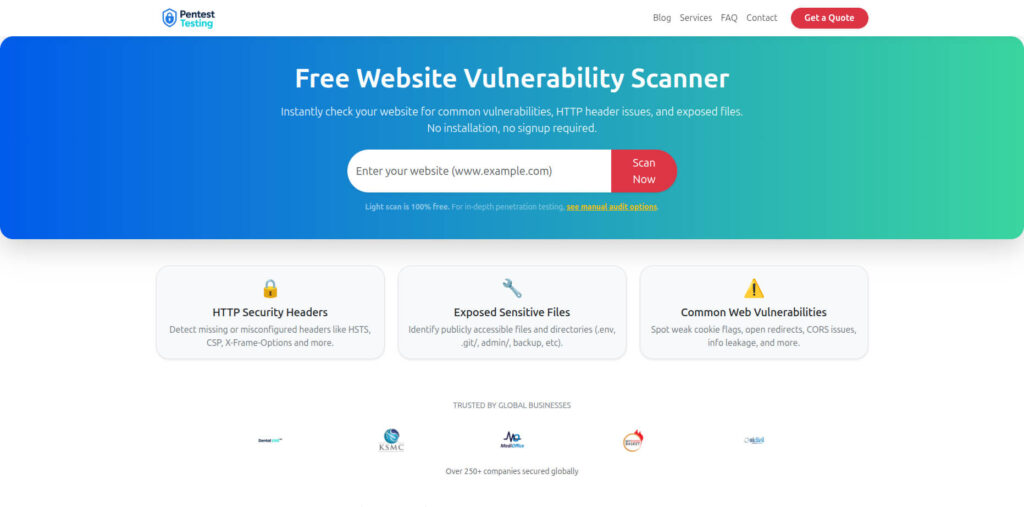
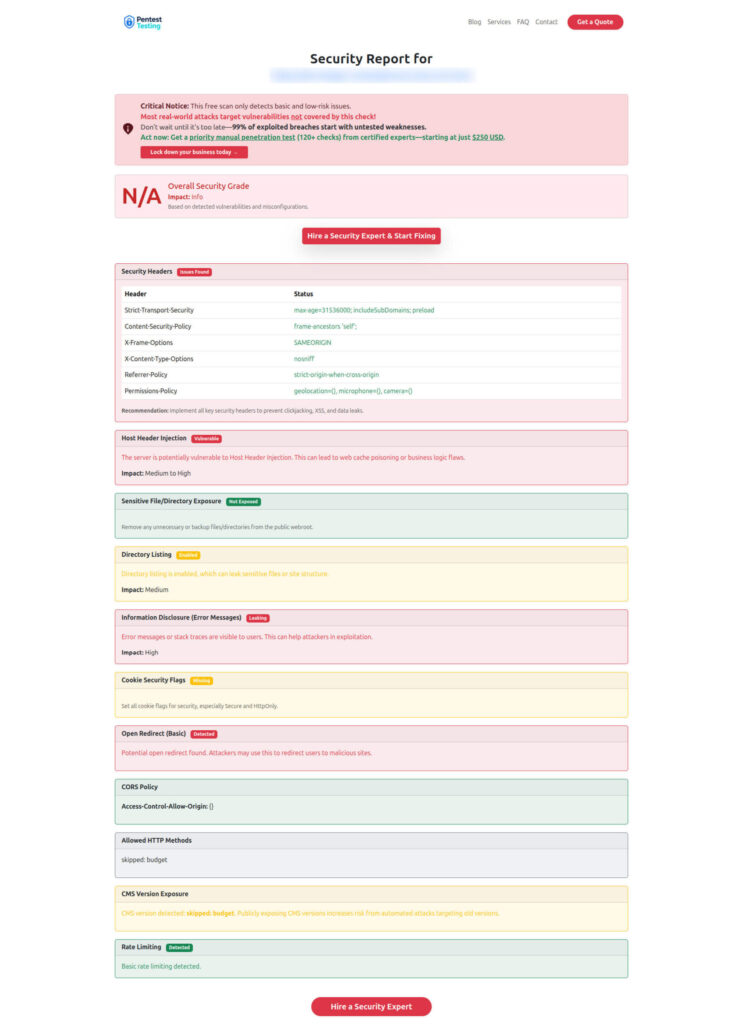
Below are two images worth embedding to help readers “see” the workflow and outcomes.
Free tool Dashboard (Website Vulnerability Scanner)
Sample report screenshot to check Website Vulnerability
Implementation checklist (printable)
Use this as your “secure deployments” baseline:
- Every deploy has
deploy_id+build_idand they’re stamped into logs/headers - CI produces an evidence bundle by default (manifest, tests, scans, approvals)
- Risk scoring gates high-risk changes with extra approvals
- Canary includes security canary metrics (deny-rate, export spikes, admin access)
- Deploy events are structured, attributable, and retained long enough for investigations
- Feature flags and runtime config changes are audited like deploys
- Incident playbook can answer “what changed and why” in <15 minutes
Need help implementing secure deployments guardrails?
If you want an external team to validate your rollout and logging posture:
- Risk Assessment Services: https://www.pentesttesting.com/risk-assessment-services/
- Remediation Services: https://www.pentesttesting.com/remediation-services/
- Digital Forensic Analysis Services: https://www.pentesttesting.com/digital-forensic-analysis-services/
Related reading (recent Cyber Rely posts)
These pair well with this guide:
- Secure observability pipeline controls: https://www.cybersrely.com/secure-observability-pipeline/
- Feature flag security controls for safe canary rollouts: https://www.cybersrely.com/feature-flag-security-safe-canary-rollouts/
- Forensics-ready microservices design patterns: https://www.cybersrely.com/forensics-ready-microservices-design-patterns/
- Forensics-ready CI/CD pipeline steps: https://www.cybersrely.com/forensics-ready-ci-cd-pipeline-steps/
🔐 Frequently Asked Questions (FAQs)
Find answers to commonly asked questions about Secure Deployments Guardrails (Forensics-Ready).