7-Step MongoBleed CVE-2025-14847 Exclusive Patch Playbook
MongoBleed (CVE-2025-14847) is a MongoDB vulnerability that allows an unauthenticated client to read uninitialized heap memory. In plain terms: if your MongoDB server is reachable, an attacker may be able to pull back random chunks of memory that can include API keys, session tokens, cloud credentials, connection strings, or config fragments currently in RAM.
This engineering playbook shows how to (1) confirm exposure fast, (2) patch with low production risk, (3) rotate secrets intelligently, and (4) add guardrails and CI/CD security gates so this class of incident doesn’t repeat.
TL;DR: Do these 5 things first
- Block exposure immediately (security groups/firewalls/K8s NetworkPolicy). MongoDB should almost never be public.
- Patch to a fixed version (Dec 19, 2025 fixes):
- 8.2.x → 8.2.3+
- 8.0.x → 8.0.17+
- 7.0.x → 7.0.28+
- 6.0.x → 6.0.27+
- 5.0.x → 5.0.32+
- 4.4.x → 4.4.30+
- 4.2/4.0/3.6 are end-of-life — plan an upgrade path, not a patch band-aid.
- If you can’t patch today, disable zlib compression as a temporary mitigation (see below).
- Triage secret rotation (cloud creds, signing keys, CI tokens, API keys) and invalidate sessions safely.
- Add “no-public-db” guardrails + CI/CD CVE gates to prevent regressions.

New (2026): Building RAG + agents? Don’t ship AI security “later.” Read our engineering-first checklist mapped to OWASP Top 10 for LLM Apps (2025) — with CI gates, runtime guardrails, and test cases.
👉 https://www.cybersrely.com/owasp-top-10-for-llm-apps-2025-playbook/
1) What “memory disclosure” means for secret leakage and lateral movement
Memory disclosure vulnerabilities don’t “hack your database” in the classic sense. They bleed bytes from server memory. That matters because modern apps keep sensitive material in memory for speed:
- Cloud credentials (AWS access keys, Azure SAS tokens, GCP service tokens)
- JWT signing keys/session keys
- API keys (third-party and internal)
- Database credentials (connection strings, replica set keys, TLS materials)
- Config blobs pulled from secret managers at runtime
A single leaked token can unlock lateral movement: CI/CD → cloud → production → data. That’s why MongoBleed (CVE-2025-14847) is both a MongoDB patching problem and a secret rotation problem.
2) Confirm exposure fast (internet reachability + inventory)
A. Host-level: is MongoDB listening beyond localhost?
# What is listening on 27017?
sudo ss -lntp | egrep ':27017\s'

# Check bindIp in the config (common paths)
sudo grep -R "bindIp" /etc/mongod.conf /usr/local/etc/mongod.conf 2>/dev/null || true
If you see 0.0.0.0 or a public interface, treat it as urgent.
From a safe internal box, scan your IP ranges for exposed MongoDB (avoid scanning the public internet):
# Replace 10.0.0.0/8 with your internal CIDRs
sudo nmap -n -p 27017 --open 10.0.0.0/8 192.168.0.0/16 -oG - \
  | awk '/27017\/open/{print $2}' \
  | sort -u
B. Cloud quick checks (open-to-world rules)
AWS Security Groups (port 27017 open to 0.0.0.0/0):
aws ec2 describe-security-groups \
  --query "SecurityGroups[?IpPermissions[?FromPort==\`27017\` && ToPort==\`27017\` && (IpRanges[?CidrIp==\`0.0.0.0/0\`] || Ipv6Ranges[?CidrIpv6==\`::/0\`])]].{GroupId:GroupId,GroupName:GroupName,VpcId:VpcId}" \
  --output table
GCP firewall rules (port 27017):
gcloud compute firewall-rules list \
  --filter="allowed.tcp:27017" \
  --format="table(name, network, direction, sourceRanges.list(), allowed)"
Azure NSG rules (27017):
az network nsg rule list --nsg-name <NSG_NAME> --resource-group <RG> \
  --query "[?destinationPortRange=='27017' || destinationPortRanges[?contains(@,'27017')]].{name:name,access:access,dir:direction,src:sourceAddressPrefix,dst:destinationAddressPrefix,ports:destinationPortRange}" \
  -o table
C. Kubernetes: find Services exposing MongoDB
kubectl get svc -A -o wide | egrep -i 'mongo|27017' || true
kubectl get ingress -A | egrep -i 'mongo' || true
D. Runtime/SBOM inventory: find MongoDB versions everywhere
On the host:
mongod --version || mongosh --version || mongo --versionIn Docker images:
docker ps --format '{{.ID}} {{.Image}} {{.Names}}' | egrep -i 'mongo' || trueIn Kubernetes workloads:
kubectl get deploy,statefulset -A -o jsonpath='{range .items[*]}{.metadata.namespace}{"\t"}{.kind}{"\t"}{.metadata.name}{"\t"}{range .spec.template.spec.containers[*]}{.image}{" "}{end}{"\n"}{end}' \
  | egrep -i 'mongo' || true
Generate an SBOM (example) and grep for MongoDB packages/images:
# Example SBOM generation (choose the tooling your org already standardizes on)
syft dir:. -o json > sbom.json

# Quick check for MongoDB references
grep -i '"name": "mongo' -n sbom.json | head
3) Compression defaults and the safest “right now” mitigation
MongoDB supports network compression. In many deployments, zlib is enabled by default. For MongoBleed (CVE-2025-14847), the issue is triggered via zlib-compressed messages.
Temporary mitigation (not a replacement for patching)
Option 1: Disable all network compression
# /etc/mongod.conf (example)
net:
  compression:
    compressors: disabled
Option 2: Remove zlib, keep faster compressors (snappy/zstd)
net:
  compression:
    compressors: "snappy,zstd"
Restart safely (systemd example):
sudo systemctl restart mongod
sudo systemctl status mongod --no-pager
Important: disabling compression can change throughput/latency. Treat this as a short-lived mitigation while you patch.
4) Patch MongoDB without breaking production (canary + rolling patterns)
The goal is minimal risk: preserve availability, avoid surprise latency spikes, and keep rollback simple.
A. Choose a patch target version
For MongoBleed (CVE-2025-14847), fixed versions include:
- 8.2.3+, 8.0.17+, 7.0.28+, 6.0.27+, 5.0.32+, 4.4.30+
If you’re on 4.2/4.0/3.6, treat this as a forced major upgrade project (with an interim network block + compression mitigation).
B. Replica set: rolling upgrade with a canary
- Pick a low-risk secondary as the canary.
- Upgrade the canary secondary first.
- Validate:
- replication lag
- query latency at p95/p99
- connection pool behavior
- Roll through remaining secondaries.
- Step down primary (controlled) and upgrade it last.
Replica set pre-checks:
// in mongosh
rs.status()
rs.printReplicationInfo()
db.serverStatus().connections
Simple p95 latency probe (Python):
import time, statistics
from pymongo import MongoClient

client = MongoClient("mongodb://USER:PASS@HOST:27017/?replicaSet=rs0&serverSelectionTimeoutMS=3000")
db = client.get_database("admin")

samples = []
for _ in range(200):
    t0 = time.perf_counter()
    db.command("ping")
    samples.append((time.perf_counter() - t0) * 1000)

samples.sort()
p95 = samples[int(len(samples)*0.95)-1]
p99 = samples[int(len(samples)*0.99)-1]
print(f"ping p95={p95:.2f}ms p99={p99:.2f}ms")
C. Sharded clusters: order matters
- Upgrade config servers first (rolling)
- Then mongos routers
- Then shards (each shard is usually a replica set → rolling upgrade pattern)
D. Rollback plan you can actually execute
- Keep prior packages/images ready.
- Back up configs and parameter overrides.
- If latency or replication health regresses, roll back the canary and pause.
E. Patch commands (common self-managed paths)
Package names vary by distro/repo. Validate in staging first and follow your org’s change controls.
Debian/Ubuntu (APT):
sudo apt-get update
apt-cache madison mongodb-org | head -n 20
# Install a specific patched version (example format)
sudo apt-get install -y mongodb-org=<VERSION> mongodb-org-server=<VERSION>
sudo systemctl restart mongod
RHEL/CentOS (YUM/DNF):
sudo yum makecache
yum --showduplicates list mongodb-org-server | tail -n 20
sudo yum install -y mongodb-org-server-<VERSION> mongodb-org-<VERSION>
sudo systemctl restart mongod
Docker Compose (pin a patched tag):
services:
  mongodb:
    image: mongo:8.0.17
    ports: ["27017:27017"]
    command: ["mongod","--bind_ip","127.0.0.1,10.0.0.10"]
Kubernetes/Helm (pin the image tag in values.yaml):
image:
  repository: mongo
  tag: "8.0.17"
# Optional: disable compression temporarily if needed
mongodConfig:
  net:
    compression:
      compressors: "snappy,zstd"
5) Secret rotation triage: rotate what matters most (without outages)
If a MongoDB server was reachable (or you can’t prove it wasn’t), rotate secrets assuming possible memory exposure.
A. Rotation priority order (typical)
- Cloud provider credentials (IAM keys, federation tokens, workload identity bindings)
- JWT/session signing keys (impacts auth and SSO trust)
- CI/CD tokens (GitHub/GitLab runners, deploy keys, package publish tokens)
- Third-party API keys (payments, email, SMS, analytics, LLM providers)
- Database users/credentials (least privilege + scoped roles)
B. Safe session invalidation pattern (token versioning)
Instead of trying to “find every token,” revoke by version:
DB schema (user token version):
// users collection document example
{
  _id: "user_123",
  tokenVersion: 12
}
JWT issuance includes tokenVersion claim:
// Node.js example
const payload = { sub: userId, tv: user.tokenVersion };
const token = sign(payload, JWT_PRIVATE_KEY, { expiresIn: "15m", keyid: CURRENT_KID });
Auth middleware rejects old versions:
// Node.js example
if (decoded.tv !== user.tokenVersion) return res.status(401).send("Session revoked");
To invalidate sessions after suspected exposure:
// increment tokenVersion to revoke all sessions for a user (or globally for an org)
await users.updateOne({ _id: userId }, { $inc: { tokenVersion: 1 } });
C. Dual-key rotation for JWT signing (avoid downtime)
- Publish new key
KID=new - Issue tokens with
new, acceptoldfor a short overlap window - After the window, disable
old
6) Engineering guardrails: “no-public-db” by default
A. Terraform guardrail (deny 27017 from the world)
# Example security group rule (bad)
ingress {
  from_port   = 27017
  to_port     = 27017
  protocol    = "tcp"
  cidr_blocks = ["0.0.0.0/0"] # ❌ never for MongoDB
}
OPA/Rego policy to block it (Conftest pattern):
package terraform.security

deny[msg] {
  input.resource_changes[_].type == "aws_security_group_rule"
  rule := input.resource_changes[_].change.after
  rule.from_port == 27017
  rule.to_port == 27017
  some cidr
  cidr := rule.cidr_blocks[_]
  cidr == "0.0.0.0/0"
  msg := "MongoDB port 27017 must not be open to the internet (0.0.0.0/0)."
}
B. Kubernetes NetworkPolicy (restrict MongoDB to app namespaces)
apiVersion: networking.k8s.io/v1
kind: NetworkPolicy
metadata:
  name: mongodb-ingress-restrict
  namespace: data
spec:
  podSelector:
    matchLabels:
      app: mongodb
  policyTypes: ["Ingress"]
  ingress:
    - from:
        - namespaceSelector:
            matchLabels:
              name: app
      ports:
        - protocol: TCP
          port: 27017
C. Harden defaults (baseline)
- Bind to private interfaces only (
bindIp), never 0.0.0.0 unless behind strict controls - Enforce auth (RBAC) and TLS everywhere
- Prefer short-lived credentials and workload identity over static keys
- Encrypt sensitive fields when business needs require it (not just “at rest”)
D. Host firewall baseline (quick containment)
Linux (ufw example):
sudo ufw deny 27017/tcp
sudo ufw allow from 10.0.0.0/8 to any port 27017 proto tcp
sudo ufw status verbose
iptables example (restrict to RFC1918):
sudo iptables -A INPUT -p tcp --dport 27017 -s 10.0.0.0/8 -j ACCEPT
sudo iptables -A INPUT -p tcp --dport 27017 -s 172.16.0.0/12 -j ACCEPT
sudo iptables -A INPUT -p tcp --dport 27017 -s 192.168.0.0/16 -j ACCEPT
sudo iptables -A INPUT -p tcp --dport 27017 -j DROP
7) CI/CD prevention: pinned versions + automated MongoBleed gates
A. Pin MongoDB versions (and image digests)
Dockerfile pattern (pin tag + digest):
FROM mongo:8.0.17@sha256:<DIGEST>Pinning a digest prevents “silent” upstream changes.
B. A simple CVE gate: fail builds if MongoDB is vulnerable
Create a script in your repo: scripts/check_mongobleed.py
import re
import sys
from packaging.version import Version

FIXED_MIN = {
  "8.2": Version("8.2.3"),
  "8.0": Version("8.0.17"),
  "7.0": Version("7.0.28"),
  "6.0": Version("6.0.27"),
  "5.0": Version("5.0.32"),
  "4.4": Version("4.4.30"),
}

def parse(v: str) -> Version:
  m = re.match(r"(\d+\.\d+\.\d+)", v.strip())
  if not m:
    raise ValueError(f"Cannot parse version: {v}")
  return Version(m.group(1))

def main(version_str: str):
  v = parse(version_str)
  key = f"{v.major}.{v.minor}"
  if key not in FIXED_MIN:
    print(f"Unknown/EOL major.minor {key}. Treat as vulnerable until proven patched.")
    sys.exit(2)
  if v < FIXED_MIN[key]:
    print(f"FAIL: MongoBleed (CVE-2025-14847) vulnerable MongoDB {v}. Upgrade to {FIXED_MIN[key]}+.")
    sys.exit(1)
  print(f"OK: MongoDB {v} meets MongoBleed fixed minimum ({FIXED_MIN[key]}+).")

if __name__ == "__main__":
  if len(sys.argv) != 2:
    print("Usage: check_mongobleed.py <mongodb_version>  (e.g., 8.0.17)")
    sys.exit(2)
  main(sys.argv[1])
C. GitHub Actions gate (example)
name: security-gates
on:
  pull_request:
  workflow_dispatch:

jobs:
  mongobleed-gate:
    runs-on: ubuntu-latest
    steps:
      - uses: actions/checkout@v4
      - uses: actions/setup-python@v5
        with:
          python-version: "3.11"
      - run: python -m pip install packaging
      - name: Fail if vulnerable MongoDB version is referenced
        run: |
          # Example: extract the version from a Helm values file / Dockerfile / Terraform var
          VERSION=$(grep -RhoE 'mongo:([0-9]+\.[0-9]+\.[0-9]+)' . | head -n1 | cut -d: -f2 || true)
          if [ -z "$VERSION" ]; then
            echo "No mongo:<x.y.z> reference found. Consider adding a version inventory step."
            exit 0
          fi
          python scripts/check_mongobleed.py "$VERSION"
D. Emergency patch pipeline (manual trigger + approvals)
name: emergency-mongodb-patch
on:
  workflow_dispatch:
    inputs:
      target:
        description: "Environment/cluster identifier"
        required: true
      version:
        description: "Target patched MongoDB version (e.g., 8.0.17)"
        required: true

jobs:
  patch:
    runs-on: ubuntu-latest
    environment: production   # enforce required reviewers in repo settings
    steps:
      - uses: actions/checkout@v4
      - name: Log intent
        run: |
          echo "Patching ${{ inputs.target }} to MongoDB ${{ inputs.version }}"
      - name: Execute patch automation
        run: |
          ./ops/patch_mongodb.sh "${{ inputs.target }}" "${{ inputs.version }}"
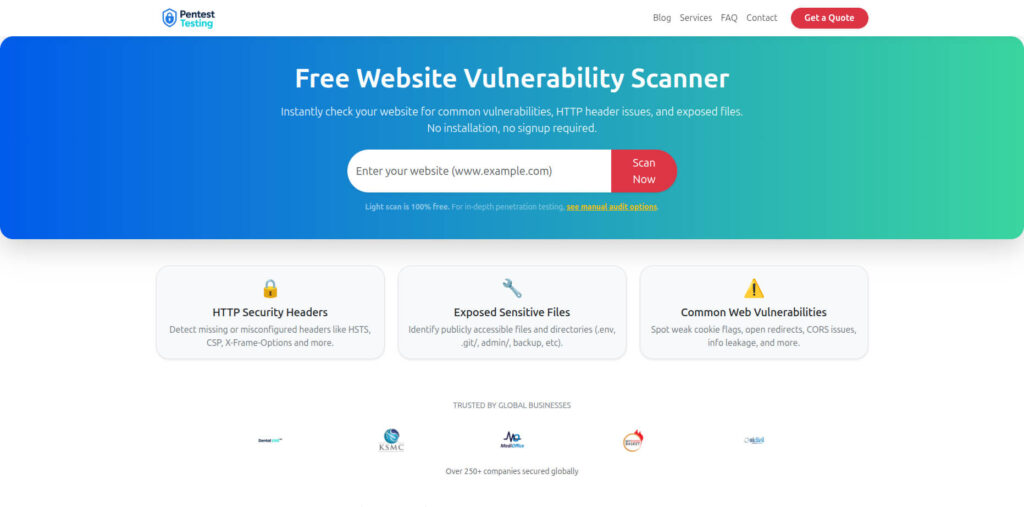
Free Website Vulnerability Scanner tools page Screenshot:
Sample report by our tool to check Website Vulnerability:
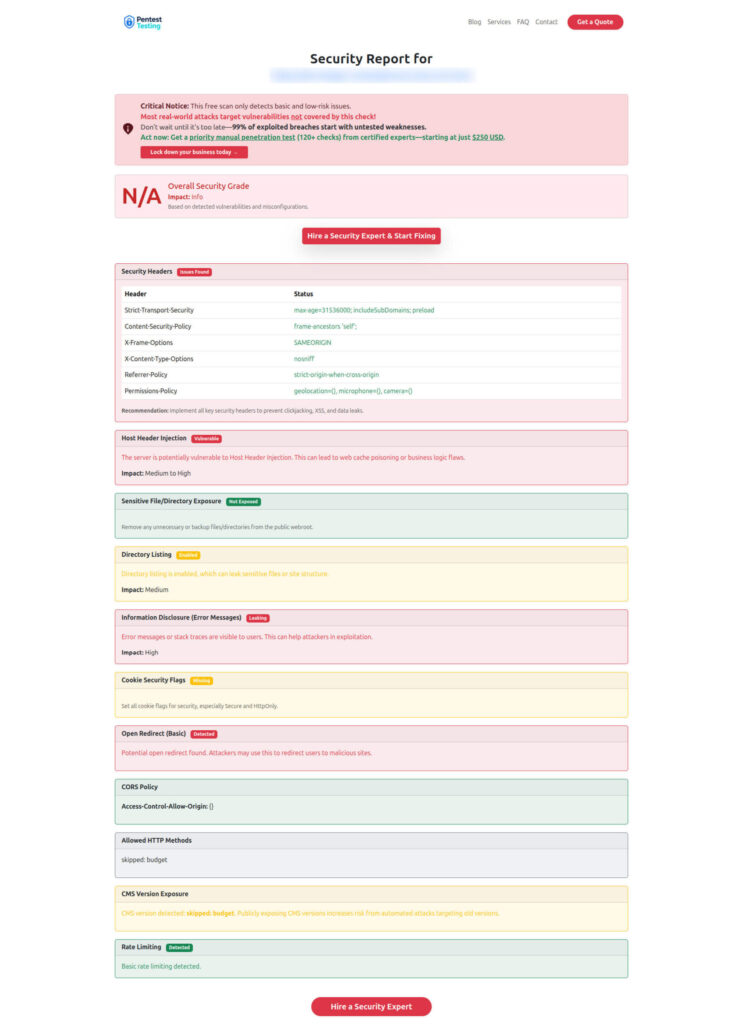
You can run a quick check using our free tools at https://free.pentesttesting.com/, then use the findings to drive a patch + secret rotation plan and validate your remediation work.
Post-incident learnings: detection hooks + a 60-minute tabletop runbook
Detection hooks you can ship this week
- Alert on new inbound sources hitting 27017 (VPC Flow Logs/firewall logs)
- Track burst connections and unusual compression negotiation patterns
- Alert on new MongoDB processes/containers (supply chain + drift signal)
- Monitor for sudden secret access spikes (secret manager audit logs)
60-minute tabletop runbook (quick drill)
- 0–10 min: Confirm scope: which clusters/hosts, which networks, which versions.
- 10–20 min: Block exposure (SG/NSG/firewall/NetworkPolicy). Disable zlib compression if patch isn’t immediate.
- 20–35 min: Patch a canary node. Validate replication + latency.
- 35–45 min: Roll patch to remaining nodes.
- 45–55 min: Rotate top-tier secrets + invalidate sessions safely (tokenVersion / key rotation).
- 55–60 min: Capture evidence: version inventory, change tickets, logs, and a “what changed” snapshot for audit.
Related reads on Cyber Rely (recent)
- https://www.cybersrely.com/secrets-as-code-rotation-patterns-engineers-need/
- https://www.cybersrely.com/fix-a-leaked-github-token/
- https://www.cybersrely.com/gate-ci-with-cisa-kev-json/
- https://www.cybersrely.com/asvs-5-0-gate-to-ci-cd/
- https://www.cybersrely.com/non-human-identity-security-controls/
Services: make patching and proof easy
- Start with https://cybersrely.com/ and
- Browse implementation guides at https://www.cybersrely.com/blog/.
- For compliance-aligned gap discovery, use https://www.pentesttesting.com/risk-assessment-services/,
- Close gaps with https://www.pentesttesting.com/remediation-services/, and
- Run a quick check at https://free.pentesttesting.com/.
🔐 Frequently Asked Questions (FAQs)
Find answers to commonly asked questions about MongoBleed / CVE-2025-14847.