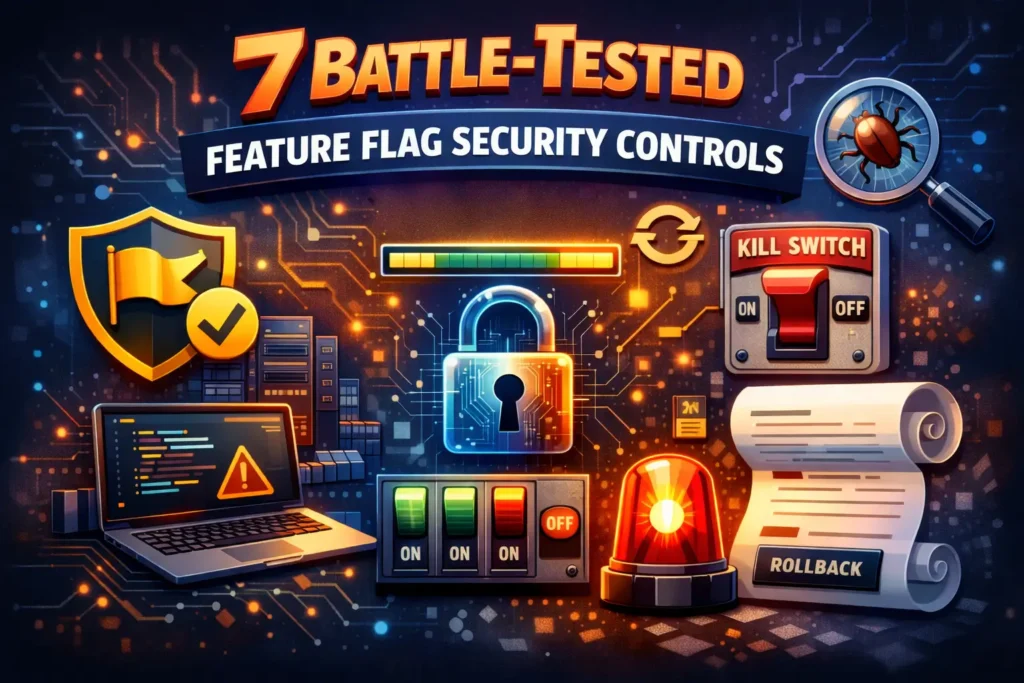
7 Battle-Tested Feature Flag Security Controls
Securing Runtime Feature Configurations: Guarding Canary Releases, Flags & Rollouts
Runtime feature configuration (feature flags, canary releases, progressive delivery, rollout tuning) is now a production control plane. It can enable admin-only behavior, change authorization flows, redirect traffic, relax validation, or widen access—without a code deploy.
That’s why feature flag security and runtime configuration hardening must be treated like any other security boundary: strong authorization, safe defaults, observable changes, and forensics-ready audit trails.
Just published: Secure Observability Pipeline Controls
If your detections rely on telemetry, this guide shows how to harden logs, metrics, and traces against drops, drift, and tampering.
View the blog: https://www.cybersrely.com/secure-observability-pipeline/
What “runtime feature configuration” really includes
Most teams think “feature flags = UI experiments.” In practice, runtime config platforms often control:
- Feature flags (on/off, per-tenant, per-cohort)
- Canary releases (traffic weights, user targeting, region splits)
- Rollout tuning (rate limits, thresholds, circuit-breaker toggles)
- Operational knobs (retry policy, caching, failover mode, kill switches)
The deeper you go into progressive delivery, the more you need rollout governance and feature rollout telemetry to prevent silent failure modes.
The risk surface: how runtime config gets abused
Common failure patterns we see across real stacks:
- Unprotected config APIs
- Weak RBAC, shared accounts, missing MFA, environment bleed (staging permissions affecting prod)
- Flag override exploits
- “Temporary” override endpoints become permanent
- Debug headers/cookies/query params become toggles (flag injection)
- Unauthorized rollout tuning
- Changing canary weights, widening cohorts, disabling guards
- “Small” config changes causing large blast radius
- No accountability
- You can’t answer: who changed what, when, from where, and what it impacted
(If you want a deeper companion read, we’ve published a feature-flag abuse playbook here: https://www.cybersrely.com/secure-feature-flags-prevent-abuse/
A practical reference architecture (ship this, not slides)
Treat runtime config like a production system with security layers:
- Control Plane API (admin ops: create/change flags, rollout rules)
- Policy Enforcement (RBAC/ABAC + environment scoping + approvals)
- Immutable Audit Stream (append-only change events)
- Runtime SDK / Evaluator (server-side evaluation, safe caching, fail-closed defaults)
- Detection (anomaly alerts on risky flips and tuning)
- Forensics (correlate flag changes with auth + incident telemetry)
Control 1) Design an authorization model for config platforms
Your config platform needs authorization that matches its impact.
Minimum roles (example)
- Viewer: read-only
- Operator: change non-prod only
- Release Manager: can change prod rollouts (with approvals)
- Security: can enforce policies, review high-risk changes
- Break-glass: emergency path with extra logging + time limits
ABAC fields you should enforce
environment(prod vs staging)flag_risk(low/medium/high)tenant_scope(which tenants/cohorts)time_window(change freeze windows)approval_state(two-person rule, ticket reference)auth_strength(MFA, device posture, JIT)
Control 2) “Flags as Code” with a manifest + CI gates
Runtime configuration hardening starts with governance metadata.
Example: flag manifest (flags.yaml)
flags:
  - key: "checkout.new_flow"
    owner: "team-payments"
    risk: "high"               # low | medium | high
    description: "New checkout flow behind gated rollout"
    environments: ["dev", "staging", "prod"]
    default: false
    expires_at: "2026-04-30"   # TTL: flags must die
    allowed_scopes:
      - "tenant:paid"
      - "cohort:beta"
    enforcement:
      require_server_side_eval: true
      require_change_ticket: true
      require_2_person_approval: true
CI gate: fail builds when flags are expired
#!/usr/bin/env bash
set -euo pipefail

python3 - <<'PY'
import sys, yaml
from datetime import datetime, timezone

doc = yaml.safe_load(open("flags.yaml", "r"))
now = datetime.now(timezone.utc).date()
expired = []

for f in doc.get("flags", []):
  exp = f.get("expires_at")
  if exp:
    d = datetime.fromisoformat(exp).date()
    if d < now:
      expired.append(f["key"])

if expired:
  print("Expired flags found:")
  for k in expired:
    print(f" - {k}")
  sys.exit(1)

print("Flag TTL check passed.")
PY
Why this matters: stale flags become permanent branches, permanent risk, and permanent “shadow authorization.”
Control 3) Never let clients decide flags that affect authorization
This is where many “feature flag security” incidents start.
Bad pattern (injection-prone)
// ❌ Do not do this
const enableAdminExport = req.query.export === "1";
if (enableAdminExport) exportAllTenants();
Safer pattern (server-side evaluation + explicit authz)
// ✅ Flag is only one input; authorization still required
if (flags.isEnabled("admin.bulk_export", ctx)) {
  requirePermission(ctx.user, "tenant.export");
  exportTenant(ctx.tenantId);
}
Negative test: prove you can’t toggle by header
import request from "supertest";
import { app } from "../app";

test("cannot inject flag via header", async () => {
  await request(app)
    .get("/api/checkout")
    .set("X-Enable-Feature", "checkout.new_flow=true")
    .expect(200)
    .then(res => {
      expect(res.text).not.toContain("New Checkout Flow Enabled");
    });
});
Control 4) Protect the control-plane API like production access
Your config admin API is a high-value target.
Example: FastAPI endpoint with scoped JWT + env enforcement
from fastapi import FastAPI, Depends, HTTPException
from pydantic import BaseModel
import time

app = FastAPI()

class Change(BaseModel):
    flag_key: str
    env: str               # dev|staging|prod
    action: str            # enable|disable|set_weight
    value: str | None = None
    ticket: str | None = None
    justification: str

def require_scope(user, scope: str):
    if scope not in user.get("scopes", []):
        raise HTTPException(403, "Missing scope")

def get_user():
    # Replace with your JWT validation (iss/aud/exp/signature)
    return {"sub": "user_123", "groups": ["release-managers"], "scopes": ["flags:write:prod"]}

@app.post("/v1/flags/change")
def change_flag(c: Change, user=Depends(get_user)):
    if c.env == "prod":
        require_scope(user, "flags:write:prod")
        if not c.ticket:
            raise HTTPException(400, "Change ticket required for prod")
    # Emit audit event here (immutable)
    return {"ok": True, "ts": int(time.time()), "actor": user["sub"]}
Add a “two-person” approval rule for high-risk flags
Use a policy engine (or enforced workflow) so a single compromised account can’t flip a critical flag.
Control 5) Safe rollout patterns: progressive delivery + kill switches
Secure canary rollouts require safe defaults and abort conditions.
Pattern A: Progressive delivery with guardrails
- Start at 1–5%
- Only expand when SLO + security signals are stable
- Cap blast radius by tenant/region
- Always define rollback criteria
Example: rollout spec concept (weights + abort)
rollout:
  key: "checkout.new_flow"
  env: "prod"
  steps:
    - setWeight: 5
    - pause: "10m"
    - setWeight: 25
    - pause: "20m"
    - setWeight: 50
  abortConditions:
    - metric: "authz_denied_rate"
      op: ">"
      threshold: 0.02
    - metric: "payment_error_rate"
      op: ">"
      threshold: 0.01
Pattern B: Kill switch that defaults to safety
Kill switches should reduce risk, not expand it.
// Example: "disable risky path" kill switch
const blockExports = await flags.safeIsEnabled("killswitch.block_exports", ctx, { default: true });

if (blockExports) {
  return res.status(403).send("Exports temporarily disabled");
}
Pattern C: Circuit breaker around risky dependencies
type Breaker struct{ openUntil int64 }

func (b *Breaker) Allow() bool {
  now := time.Now().Unix()
  return now > b.openUntil
}

func (b *Breaker) Trip(seconds int64) {
  b.openUntil = time.Now().Unix() + seconds
}
Control 6) Monitoring + anomaly detection for unexpected flag flips
Feature rollout telemetry should answer:
- Who changed it?
- What changed (old → new)?
- Where (env/tenant/cohort)?
- From where (IP/device)?
- Why (ticket/justification)?
- Impact (requests affected, errors, authz denials)?
Suggested audit event schema (keep stable IDs, not raw secrets)
{
  "event_type": "flag.change",
  "ts": "2026-02-24T10:12:01Z",
  "actor_id": "user_123",
  "actor_groups": ["release-managers"],
  "env": "prod",
  "flag_key": "checkout.new_flow",
  "old_value": "weight:25",
  "new_value": "weight:50",
  "ticket": "CHG-1842",
  "justification": "Expand after SLO stable",
  "request_id": "req_9f2...",
  "trace_id": "4bf9...",
  "source_ip": "203.0.113.10"
}
SQL hunt: “who changed too much, too fast?”
SELECT actor_id, COUNT(*) AS changes, MIN(ts) AS first_change, MAX(ts) AS last_change
FROM flag_audit
WHERE env = 'prod'
  AND ts > NOW() - INTERVAL '15 minutes'
GROUP BY actor_id
HAVING COUNT(*) >= 10
ORDER BY changes DESC;
Simple Python detector for “rare flag flips”
from collections import Counter
from datetime import datetime, timedelta

def detect_spikes(events, window_minutes=30, spike_factor=5):
    cutoff = datetime.utcnow() - timedelta(minutes=window_minutes)
    recent = [e for e in events if e["ts"] >= cutoff]
    counts = Counter((e["env"], e["flag_key"]) for e in recent)
    avg = sum(counts.values()) / max(len(counts), 1)
    return [k for k,v in counts.items() if v > max(3, avg * spike_factor)]
Control 7) Test harnesses: chaos in feature pipelines + rollback drills
If your flag provider breaks, or your rollout service is slow, do you fail safe?
Chaos test: flag provider outage must fail closed
test("flag provider outage fails safe", async () => {
  flags.simulateOutage(true);
  const enabled = await flags.safeIsEnabled("admin.bulk_export", ctx, { default: false });
  expect(enabled).toBe(false);
});
Controlled rollback drill (scripted)
#!/usr/bin/env bash
set -euo pipefail

FLAG_KEY="${1:?flag key required}"
echo "Rolling back ${FLAG_KEY} to safe baseline..."
curl -sS -X POST "https://flags.example.com/v1/flags/change" \
  -H "Authorization: Bearer $TOKEN" \
  -H "Content-Type: application/json" \
  -d "{\"flag_key\":\"${FLAG_KEY}\",\"env\":\"prod\",\"action\":\"disable\",\"ticket\":\"DRILL-ROLLBACK\",\"justification\":\"Rollback drill\"}"
echo "Done.
For more CI/CD drill patterns, see: https://www.cybersrely.com/security-chaos-experiments-for-ci-cd/
Forensic telemetry: tracing flag changes to security events
When incidents happen, teams lose hours because config changes aren’t correlated with auth and app telemetry.
Do this by default:
- Propagate
request_id+trace_idinto flag evaluation calls - Emit
flag.evaluatedevents only for sensitive flags (sampled, not noisy) - Keep an immutable
flag.changetrail (append-only storage)
Forensics-ready patterns you can reuse:
- https://www.cybersrely.com/forensics-ready-telemetry/ (Cyber Rely)
- https://www.cybersrely.com/forensics-ready-microservices-design-patterns/ (Cyber Rely)
- https://www.cybersrely.com/observability-for-security-telemetry-enrichment/ (Cyber Rely)
Implementation checklist (copy/paste)
- Flags have owner, risk, TTL, allowed scope
- Server-side evaluation for any authz-adjacent behavior
- Control-plane changes require MFA + scoped roles
- Prod changes require ticket + approvals (esp. high-risk)
- Safe defaults: fail closed for risky flags
- Canary rollouts have abort conditions + rollback script
- Emit immutable flag.change audit events
- Detect anomalies: high-frequency flips, new IPs, off-hours changes
- Run quarterly rollback drills and CI chaos tests
Internal CTAs (services + tools)
If you want an expert-led review of your runtime configuration hardening program:
- Web App Pentesting: https://www.cybersrely.com/web-application-penetration-testing/
- API Pentesting: https://www.cybersrely.com/api-penetration-testing-services/
- Risk Assessment Services: https://www.pentesttesting.com/risk-assessment-services/
- Remediation Services: https://www.pentesttesting.com/remediation-services/
- Digital Forensic Analysis Services: https://www.pentesttesting.com/digital-forensic-analysis-services/
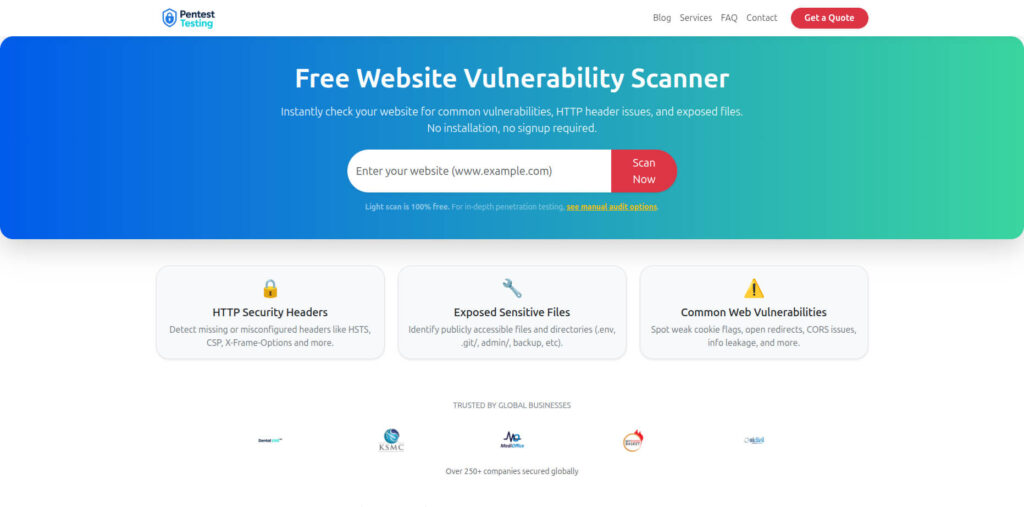
- Free Website Vulnerability Scanner: https://free.pentesttesting.com/
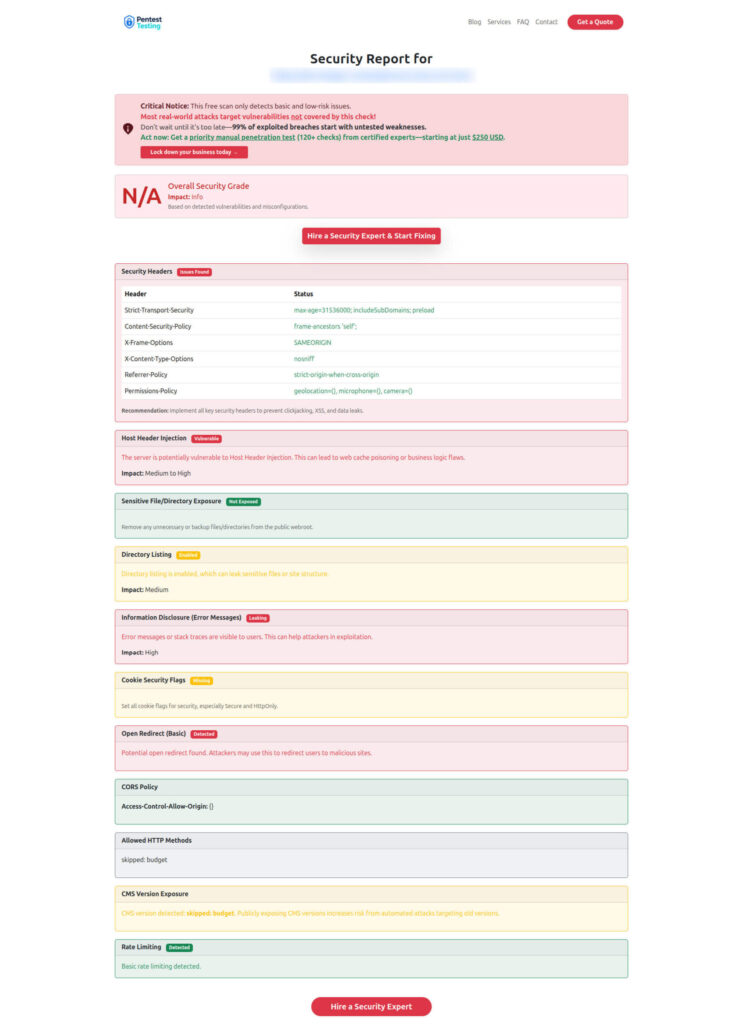
Free Website Vulnerability Scanner tool page (by Pentest Testing Corp)
Sample report to check Website Vulnerability (from the tool)
Recent Cyber Rely reads
- Secure Feature Flags: https://www.cybersrely.com/secure-feature-flags-prevent-abuse/
- Security Chaos Experiments for CI/CD: https://www.cybersrely.com/security-chaos-experiments-for-ci-cd/
- Forensics-Ready Telemetry: https://www.cybersrely.com/forensics-ready-telemetry/
- Forensics-Ready Microservices: https://www.cybersrely.com/forensics-ready-microservices-design-patterns/
🔐 Frequently Asked Questions (FAQs)
Find answers to commonly asked questions about Feature Flag Security Controls.