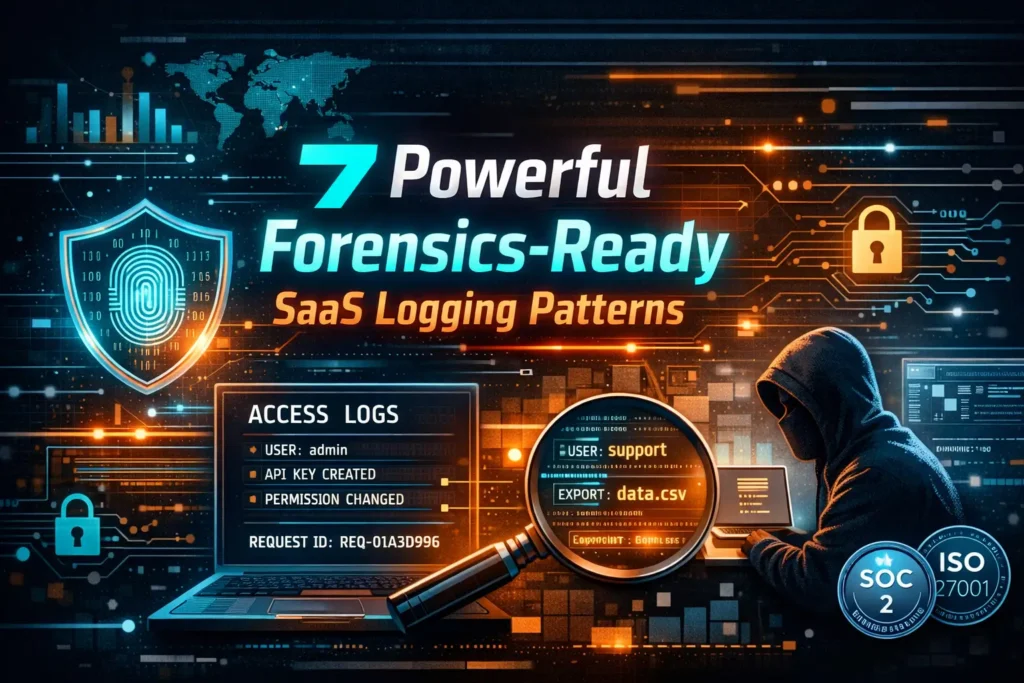
7 Powerful Forensics-Ready SaaS Logging Patterns
Most SaaS teams only discover their logging gaps during an incident—when the CEO asks, “Who accessed what, from where, and how did it persist?” and the best answer is… a shrug and a dashboard screenshot.
Forensics-Ready SaaS Logging is the difference between:
- Minutes to understand impact, contain, and recover
vs - Days of guesswork, partial timelines, and missing evidence
This guide is dev-first and implementation-heavy: structured logs, audit trails, tamper resistance, retention, redaction, and a practical “questions your logs must answer” incident checklist.
If you want more engineering-first security content like this, browse the latest posts on the Cyber Rely Blog.
What “Forensics-Ready SaaS Logging” actually means
Forensics-ready doesn’t mean “log everything.” It means your logs can reliably answer:
- Identity — who did it? (user, service, admin, API client)
- Action — what happened? (event type + resource)
- Scope — what changed? (before/after, permission delta)
- Traceability — how did it happen? (request/trace IDs, session)
- Source — from where? (IP, device, user agent, geo if you store it)
- Persistence — how did it stick? (OAuth grants, API keys, tokens, rules)
- Integrity — can we trust it? (tamper resistance, immutability, signing)
Pattern 1) Adopt a canonical JSON event schema (don’t freestyle)
Forensics-Ready SaaS Logging starts with a consistent event shape across services. Here’s a practical baseline you can ship today:
{
  "ts": "2026-01-22T12:34:56.789Z",
  "level": "info",
  "service": "billing-api",
  "env": "prod",
  "event": "permission.changed",
  "request_id": "req_01HQ...",
  "trace_id": "4bf92f3577b34da6a3ce929d0e0e4736",
  "actor": {
    "type": "user",
    "id": "user_123",
    "org_id": "org_456",
    "role": "admin"
  },
  "session": {
    "session_id": "sess_abc",
    "auth_method": "password",
    "mfa": true
  },
  "source": {
    "ip": "203.0.113.10",
    "user_agent": "Mozilla/5.0 ...",
    "device_id": "dev_xyz"
  },
  "target": {
    "resource_type": "project",
    "resource_id": "proj_999"
  },
  "change": {
    "action": "grant",
    "field": "role",
    "before": "viewer",
    "after": "editor"
  },
  "result": "success",
  "latency_ms": 32
}
Recommended related keywords (naturally supported by this schema)
- audit trail logging
- incident response logging
- security telemetry
- immutable audit logs
- SOC 2 audit evidence logs
- ISO 27001 logging controls
Pattern 2) Make request IDs non-negotiable (and propagate them)
If you don’t have end-to-end request correlation, incident timelines collapse.
Node.js (Express) middleware: request_id + actor context + structured logs
import crypto from "crypto";
import pino from "pino";
import pinoHttp from "pino-http";

const logger = pino({
  level: process.env.LOG_LEVEL || "info",
  redact: {
    paths: [
      "req.headers.authorization",
      "req.headers.cookie",
      "res.headers['set-cookie']",
      "*.token",
      "*.password"
    ],
    remove: true
  }
});

function getRequestId(req) {
  return req.headers["x-request-id"] || `req_${crypto.randomUUID()}`;
}

// Example: extract identity from a decoded JWT you already validated
function getActor(req) {
  const u = req.user; // set by your auth middleware
  if (!u) return { type: "anonymous" };
  return {
    type: "user",
    id: u.id,
    org_id: u.orgId,
    role: u.role
  };
}

export const httpLogger = pinoHttp({
  logger,
  genReqId: (req) => getRequestId(req),
  customProps: (req) => ({
    actor: getActor(req),
    source: {
      ip: req.headers["x-forwarded-for"]?.split(",")[0]?.trim() || req.socket.remoteAddress,
      user_agent: req.headers["user-agent"],
      device_id: req.headers["x-device-id"]
    }
  }),
  customSuccessMessage: (req, res) => "request.completed",
  customErrorMessage: (req, res, err) => "request.failed"
});
Usage:
import express from "express";
import { httpLogger } from "./httpLogger.js";

const app = express();
app.use(httpLogger);

app.get("/health", (req, res) => {
  req.log.info({ event: "health.check" }, "ok");
  res.json({ ok: true });
});
Outcome: every log line automatically includes request_id, plus useful actor/source context.
Pattern 3) Treat audit trails as a product feature (not a debug log)
Debug logs help developers. Audit trails help incident response, compliance, and customers.
A practical audit_events table (append-only)
CREATE TABLE audit_events (
  id            TEXT PRIMARY KEY,
  ts            TIMESTAMPTZ NOT NULL DEFAULT now(),
  env           TEXT NOT NULL,
  service       TEXT NOT NULL,
  event         TEXT NOT NULL,
  request_id    TEXT,
  trace_id      TEXT,

  actor_type    TEXT NOT NULL,
  actor_id      TEXT,
  org_id        TEXT,

  source_ip     TEXT,
  user_agent    TEXT,
  device_id     TEXT,

  resource_type TEXT,
  resource_id   TEXT,

  result        TEXT NOT NULL,
  metadata      JSONB NOT NULL DEFAULT '{}'::jsonb
);

-- Important: prevent UPDATE/DELETE by application role.
-- Use a separate privileged role for retention/partition maintenance only.
Node.js: write an audit event with minimal friction
import crypto from "crypto";
import { Pool } from "pg";

const pool = new Pool({ connectionString: process.env.DATABASE_URL });

export async function writeAudit(req, {
  event,
  target = {},
  result = "success",
  metadata = {}
}) {
  const id = `ae_${crypto.randomUUID()}`;
  const actor = req.log.bindings()?.actor || { type: "unknown" };
  const source = req.log.bindings()?.source || {};

  await pool.query(
    `INSERT INTO audit_events
     (id, env, service, event, request_id, trace_id,
      actor_type, actor_id, org_id,
      source_ip, user_agent, device_id,
      resource_type, resource_id, result, metadata)
     VALUES
     ($1,$2,$3,$4,$5,$6,
      $7,$8,$9,
      $10,$11,$12,
      $13,$14,$15,$16)`,
    [
      id,
      process.env.ENV || "prod",
      process.env.SERVICE || "unknown",
      event,
      req.id,
      req.headers["traceparent"] || null,
      actor.type,
      actor.id || null,
      actor.org_id || null,
      source.ip || null,
      source.user_agent || null,
      source.device_id || null,
      target.resource_type || null,
      target.resource_id || null,
      result,
      metadata
    ]
  );

  req.log.info({ event, audit_event_id: id, target, result }, "audit.written");
  return id;
}
Use it in a permission change:
await writeAudit(req, {
  event: "permission.changed",
  target: { resource_type: "project", resource_id: projectId },
  metadata: { before: "viewer", after: "editor", changed_user_id: userId }
});
Pattern 4) Log the “high-value events” attackers love
If you only implement one section from this article, implement this one.
High-value audit events for Forensics-Ready SaaS Logging
Admin & control plane
admin.login.succeeded/admin.login.failedadmin.mfa.enrolled/admin.mfa.disabledadmin.user.created/admin.user.deletedpermission.changed(include before/after)
OAuth & third-party access
oauth.grant.created/oauth.grant.revokedoauth.app.authorized(include scopes)oauth.refresh_token.used(if you can log it safely without exposing secrets)
API keys & non-human identity
apikey.created/apikey.rotated/apikey.revokedservice_account.created/service_account.permission.changed
Data access and exfil paths
data.export.started/data.export.completedreport.downloadedbilling.invoice.downloadedbackup.generated/backup.downloaded
Session & auth
session.created/session.revokedsession.elevated(privilege step-up)mfa.challenge.sent/mfa.challenge.passed/mfa.challenge.failed
Example: log an export with strong forensic context
{
  "event": "data.export.completed",
  "request_id": "req_01HQ...",
  "actor": { "type": "user", "id": "user_123", "org_id": "org_456", "role": "admin" },
  "source": { "ip": "203.0.113.10", "device_id": "dev_xyz" },
  "target": { "resource_type": "customer_records", "resource_id": "org_456" },
  "metadata": { "rows": 50213, "format": "csv", "destination": "download", "query_id": "q_778" },
  "result": "success"
}
Pattern 5) Build redaction in, or you’ll “turn logging off” later
Teams often disable logs after realizing they captured secrets or sensitive data. Fix it upfront.
Redaction rules (practical defaults)
- Never log: passwords, session tokens, refresh tokens, API keys, full auth headers, full cookies
- Avoid logging: full request bodies (especially PII) — log shape, size, field names, or hashes
- For user identifiers: consider hashing emails (store raw only if truly needed)
Python example: redact sensitive fields before logging
SENSITIVE_KEYS = {"password", "token", "access_token", "refresh_token", "api_key", "authorization"}

def redact(obj):
    if isinstance(obj, dict):
        out = {}
        for k, v in obj.items():
            if k.lower() in SENSITIVE_KEYS:
                out[k] = "[REDACTED]"
            else:
                out[k] = redact(v)
        return out
    if isinstance(obj, list):
        return [redact(x) for x in obj]
    return obj
Pattern 6) Add tamper resistance (so logs can be trusted)
If an attacker gets admin access, they may try to delete evidence. “Forensics-ready” means you assume that risk.
A simple hash-chain for audit rows (concept + code)
Store a rolling digest per event. Any gap or edit breaks the chain.
Add columns:
ALTER TABLE audit_events
ADD COLUMN prev_hash TEXT,
ADD COLUMN row_hash  TEXT;
Compute hashes in the writer (example in Python for clarity):
import hashlib
import json

def sha256(s: str) -> str:
    return hashlib.sha256(s.encode("utf-8")).hexdigest()

def compute_row_hash(event: dict, prev_hash: str) -> str:
    # Stable serialization
    payload = json.dumps(event, sort_keys=True, separators=(",", ":"))
    return sha256(prev_hash + "|" + payload)

# Example:
prev = "GENESIS"
event = {
  "id": "ae_123",
  "ts": "2026-01-22T12:34:56Z",
  "event": "permission.changed",
  "actor_id": "user_123",
  "resource_id": "proj_999",
  "result": "success"
}
row_hash = compute_row_hash(event, prev)
Operational best practice (no external links, just the pattern):
- replicate audit logs to a separate system/account
- enable write-once retention where possible
- generate a daily “digest” record stored outside your main DB
Pattern 7) Retention that matches incident reality (not wishful thinking)
Your retention needs to support:
- “quiet” compromises (weeks/months)
- compliance obligations
- customer dispute timelines
Practical retention tiers (common SaaS approach)
- Audit events (high-value): 180–365 days (or more for enterprise plans)
- Auth/session logs: 90–180 days
- Debug logs: 7–30 days (but keep enough for incident correlation)
Postgres monthly partitions (fast retention + fast queries)
-- Parent table
CREATE TABLE audit_events_parent (
  LIKE audit_events INCLUDING ALL
) PARTITION BY RANGE (ts);

-- Example monthly partition
CREATE TABLE audit_events_2026_01 PARTITION OF audit_events_parent
FOR VALUES FROM ('2026-01-01') TO ('2026-02-01');

-- Drop old partitions instead of DELETE (much faster)
-- DROP TABLE audit_events_2025_01;
Incident playbook: “questions your logs must answer” checklist
When an incident hits, your team will ask the same questions every time. Make your logs answer them quickly.
Copy/paste checklist (store this in your runbook)
forensics_ready_saas_logging_questions:
  identity:
    - Who performed the action? (user/admin/service account)
    - Which org/tenant was affected?
    - Was MFA used? Was there step-up auth?
  access:
    - From which IP/device/user agent did it occur?
    - Was it a new device or unusual location for that actor?
  traceability:
    - What request_id/trace_id ties together the timeline?
    - Which services touched the request?
  changes:
    - What changed (before/after)?
    - Were permissions elevated?
    - Were API keys created/rotated/revoked?
    - Were OAuth grants created/revoked?
  data_exfil:
    - Were exports generated?
    - Were reports/attachments downloaded?
    - Was bulk access performed?
  persistence:
    - Were sessions created that persisted?
    - Were new admins created?
    - Were webhooks/integrations added?
  integrity:
    - Are logs complete and tamper-evident?
    - Can we produce an evidence pack for customers/auditors?
Example queries you’ll actually run during incidents
1) Find permission changes (last 7 days)
SELECT ts, actor_id, org_id, resource_type, resource_id, metadata
FROM audit_events
WHERE event = 'permission.changed'
  AND ts > now() - interval '7 days'
ORDER BY ts DESC;
2) Find export spikes
SELECT date_trunc('hour', ts) AS hour, org_id, count(*) AS exports
FROM audit_events
WHERE event = 'data.export.completed'
  AND ts > now() - interval '72 hours'
GROUP BY 1,2
ORDER BY exports DESC;
3) Correlate everything by request_id
SELECT ts, service, event, actor_id, resource_type, resource_id, result
FROM audit_events
WHERE request_id = 'req_01HQ...'
ORDER BY ts ASC;
Evidence pack for SOC 2 / ISO 27001 (what to retain)
A strong Forensics-Ready SaaS Logging program doubles as a compliance accelerator. Your “evidence pack” should be exportable and repeatable:
What your evidence pack should include
- audit log export for a defined window (CSV/JSON)
- admin activity log export
- authentication/MFA event export
- access control change history (before/after)
- key lifecycle events (API keys, service accounts)
- incident timeline keyed by request_id / trace_id
- retention policy (what you keep, for how long)
- proof of log integrity controls (hash chain/digests + access restrictions)
If you want expert help making this audit-ready end-to-end:
- DFIR help during incidents: Forensic Analysis Services
- Validate gaps + build a roadmap: Risk Assessment Services
- Fix logging/control issues fast: Remediation Services
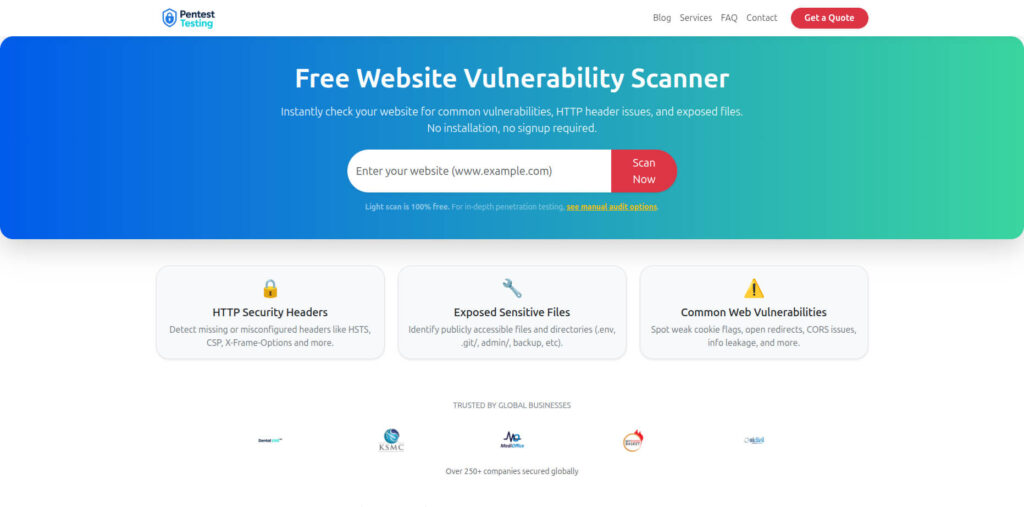
Free Website Vulnerability Scanner tool dashboard
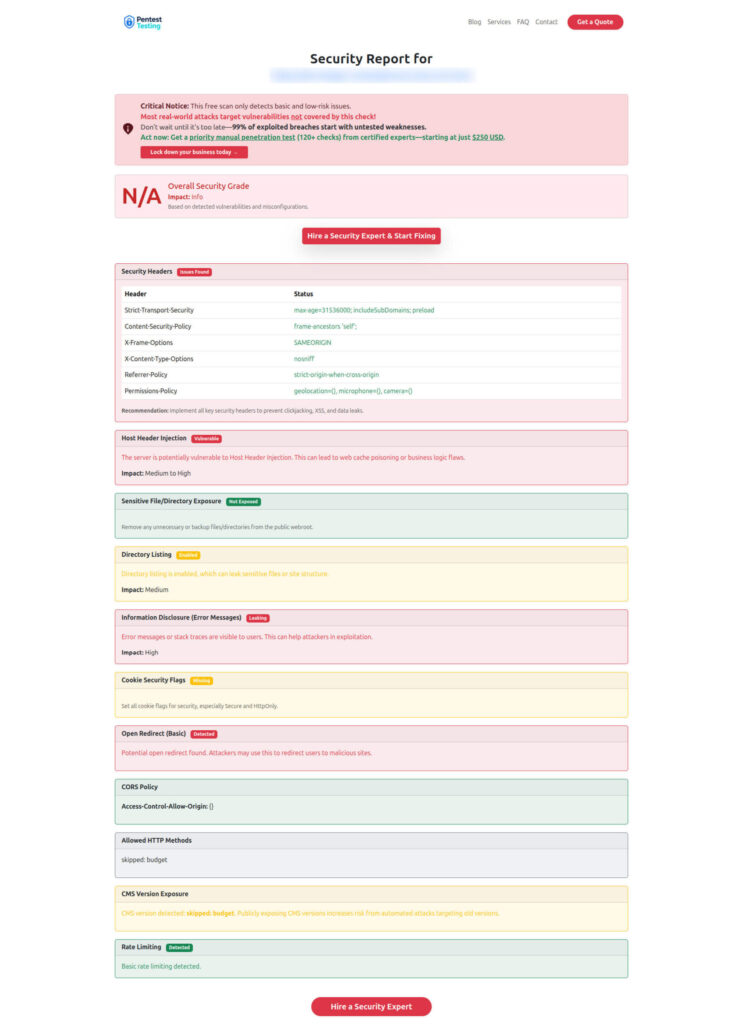
Sample report screenshot to check Website Vulnerability
Recommended recent reads (internal)
If you want adjacent playbooks your engineering team can implement quickly:
On Cyber Rely
- Stop OAuth Abuse Fast with 7 Powerful Controls
- 7 Powerful CISA KEV Engineering Workflow Steps
- 7 Proven Supply-Chain CI Hardening Wins (2026)
- 7 Proven PCI DSS 4.0.1 Remediation Patterns
- Add an ASVS 5.0 Gate to CI/CD: 7 Powerful Steps
From the same series: 7 Powerful Passkeys + Token Binding to Stop Session Replay (with refresh rotation, reuse detection, DPoP concepts, and acceptance tests): https://www.cybersrely.com/passkeys-token-binding-stop-session-replay/
On Pentest Testing Corp (DFIR + audit readiness)
- 7 Critical Digital Forensics Steps: Am I Hacked?
- 9 Powerful Patch Evidence Pack Moves for Audit Proof
- 7 Shocking Truths: Free Vulnerability Scanner Not Enough
Next step (fastest path)
If you want an expert-led review of your logging and audit trail coverage—mapped to incident readiness and evidence requirements—start with:
- Risk Assessment Services (identify gaps and prioritize)
Then close the gaps with: - Remediation Services
And if you’re already dealing with a live incident: - Forensic Analysis Services
🔐 Frequently Asked Questions (FAQs)
Find answers to commonly asked questions about Forensics-Ready SaaS Logging Patterns.