7 Proven Forensics-Ready CI/CD Pipeline Steps
Most teams “harden” CI/CD to prevent attacks. Fewer teams harden CI/CD to survive attacks.
A forensics-ready CI/CD pipeline is one that can answer—fast and credibly—questions like:
- Which commit produced this release?
- Who approved it, from where, and under what policy?
- What dependencies were in the build (and which were vulnerable at that time)?
- Did any pipeline step run from an unexpected runner image, token, or IP range?
- Can we reproduce the artifact and prove it matches what shipped?
When you can’t answer those, investigations stall, containment gets sloppy, and leadership ends up with guesswork instead of evidence.
This post is a practical, pipeline-centric playbook for engineering leaders: artifact retention + traceability + immutable logs + investigation-friendly security outputs—without turning delivery into a bureaucratic nightmare.
Related Reading: If you’re building investigation-friendly systems, don’t miss our latest guide: 7 Proven Patterns for Forensics-Ready Microservices → https://www.cybersrely.com/forensics-ready-microservices-design-patterns/
What “forensics-ready” means in modern CI/CD
A forensics-ready CI/CD pipeline produces an evidence bundle for every build and deploy—automatically:
1) Evidence is retained
Artifacts, logs, test outputs, and deployment metadata persist long enough for real investigations (weeks/months, not hours).
2) Evidence is traceable
Everything ties back to a single, unique build identity: commit SHA, repo, branch/tag, pipeline run ID, and environment.
3) Evidence is trustworthy
Logs and artifacts are tamper-resistant: append-only storage, object lock/immutability, signatures, and verifiable provenance.
4) Evidence is investigation-friendly
Security scans produce outputs you can actually use in DFIR: context, versions, baselines, and what changed.
Step 1) Define a build identity (and never lose it)
Start by making build identity non-negotiable across every job and every environment.
Minimum build identity fields
build_id(unique per run)repo,commit_sha,ref(branch/tag)pipeline_run_id,job_idrunner_identity(runner name/image, workspace hash)actor(service account/user) for approvals/deploystimestamp_utc
Example: build manifest generator (bash)
#!/usr/bin/env bash
set -euo pipefail

BUILD_ID="${BUILD_ID:-"bld-$(date -u +%Y%m%dT%H%M%SZ)-${GITHUB_RUN_ID:-local}-${RANDOM}"}"
COMMIT_SHA="${GITHUB_SHA:-$(git rev-parse HEAD)}"
REF_NAME="${GITHUB_REF_NAME:-$(git rev-parse --abbrev-ref HEAD)}"
REPO="${GITHUB_REPOSITORY:-$(basename "$(pwd)")}"
RUN_ID="${GITHUB_RUN_ID:-local}"

mkdir -p evidence

cat > evidence/build_manifest.json <<EOF
{
  "build_id": "${BUILD_ID}",
  "repo": "${REPO}",
  "commit_sha": "${COMMIT_SHA}",
  "ref": "${REF_NAME}",
  "pipeline_run_id": "${RUN_ID}",
  "timestamp_utc": "$(date -u +%Y-%m-%dT%H:%M:%SZ)",
  "runner": {
    "name": "${RUNNER_NAME:-unknown}",
    "os": "$(uname -a)",
    "workspace_hash": "$(tar -cf - . 2>/dev/null | sha256sum | awk '{print $1}' | head -c 16)"
  }
}
EOF

echo "BUILD_ID=${BUILD_ID}" | tee -a "$GITHUB_ENV" >/dev/null 2>&1 || true
echo "Wrote evidence/build_manifest.json"
Engineering rule: every scan, test, artifact, and deploy event must include build_id.
Step 2) Sign commits/tags—and verify in CI
A forensics-ready CI/CD pipeline should reject builds that can’t prove “who authored this change” and “what exactly was built.”
Verify commit signatures in CI (git)
# Fail if the commit signature cannot be verified
git verify-commit "$COMMIT_SHA"

# If you enforce signed tags for releases:
git verify-tag "$GITHUB_REF_NAME"
Record signature verification result into evidence (NDJSON log)
mkdir -p evidence
{
  echo "{\"event\":\"commit_signature_verified\",\"build_id\":\"$BUILD_ID\",\"commit_sha\":\"$COMMIT_SHA\",\"ts\":\"$(date -u +%Y-%m-%dT%H:%M:%SZ)\"}"
} >> evidence/pipeline_events.ndjson
Outcome: during an incident, you can quickly rule in/out “unauthorized code introduction” vs “pipeline compromise.”
Step 3) Retain artifacts like you’ll need them in court
If artifacts disappear after 7 days, investigations turn into archaeology.
GitHub Actions: upload artifacts + retain longer
- name: Upload evidence bundle
  uses: actions/upload-artifact@v4
  with:
    name: evidence-${{ env.BUILD_ID }}
    path: evidence/
    retention-days: 90
GitLab CI: retain artifacts
artifacts:
  paths:
    - evidence/
  expire_in: 90 days
Terraform: immutable evidence storage (example with S3 Object Lock)
resource "aws_s3_bucket" "cicd_evidence" {
  bucket = "cicd-evidence-prod"
}

resource "aws_s3_bucket_object_lock_configuration" "lock" {
  bucket = aws_s3_bucket.cicd_evidence.id

  rule {
    default_retention {
      mode  = "COMPLIANCE"
      days  = 90
    }
  }
}
Practical tip: store evidence in a dedicated bucket/account/project with limited write access and no delete permissions for build agents.
Step 4) Capture pipeline logs as structured evidence (not screenshots)
Console logs are helpful—until they’re not searchable, not correlated, and not trusted.
Structured pipeline events (NDJSON)
{"event":"job_started","build_id":"bld-...","job":"test","ts":"2026-01-29T10:22:31Z"}
{"event":"sast_completed","build_id":"bld-...","tool":"semgrep","result":"pass","ts":"2026-01-29T10:24:12Z"}
{"event":"artifact_published","build_id":"bld-...","artifact":"api.tar.gz","sha256":"...","ts":"2026-01-29T10:28:44Z"}
Node.js: write audit-grade events (no secrets)
import fs from "fs";

function emit(event) {
  const safe = {
    event: event.event,
    build_id: process.env.BUILD_ID,
    ts: new Date().toISOString(),
    ...event.data
  };
  fs.appendFileSync("evidence/pipeline_events.ndjson", JSON.stringify(safe) + "\n");
}

emit({ event: "deploy_approved", data: { env: "prod", approver: process.env.APPROVER_ID }});
Rule: never log secrets; do log which secret alias was used and which policy allowed it.
Step 5) Make security tests produce investigation-friendly outputs
Security tooling often fails DFIR because outputs lack context: no build ID, no artifact hash, no baseline, no “what changed.”
SAST: export SARIF (good for triage + audit trails)
# Example pattern: export machine-readable results into evidence/
mkdir -p evidence/scans/sast
your_sast_tool --format sarif --output evidence/scans/sast/results.sarif
Dependency audit: preserve the full report
mkdir -p evidence/scans/deps
npm ci
npm audit --json > evidence/scans/deps/npm_audit.json || true
DAST: bind the scan to the exact build + environment
mkdir -p evidence/scans/dast
echo "{\"build_id\":\"$BUILD_ID\",\"target\":\"$DAST_TARGET\",\"ts\":\"$(date -u +%FT%TZ)\"}" \
  > evidence/scans/dast/context.json

your_dast_tool --target "$DAST_TARGET" --json \
  > evidence/scans/dast/results.json || true
Bonus: generate an SBOM every build (software bill of materials)
mkdir -p evidence/sbom
# Example placeholder pattern — choose your SBOM generator
sbom_tool --format cyclonedx-json --output evidence/sbom/sbom.json
Outcome: when a CVE hits or suspicious behavior appears, your DFIR team can instantly answer: “Was this dependency in the shipped artifact at that time?”
Step 6) Add alerting + escalation that feeds incident response
A forensics-ready CI/CD pipeline doesn’t just detect; it routes evidence to the right responders.
Example: send a sanitized incident webhook (Node.js)
import https from "https";
import fs from "fs";

const manifest = JSON.parse(fs.readFileSync("evidence/build_manifest.json","utf8"));
const payload = JSON.stringify({
  type: "cicd_security_signal",
  severity: process.env.SEVERITY || "medium",
  build_id: manifest.build_id,
  repo: manifest.repo,
  commit_sha: manifest.commit_sha,
  run_id: manifest.pipeline_run_id,
  ts: new Date().toISOString()
});

const req = https.request(process.env.IR_WEBHOOK_URL, { method:"POST" }, (res) => {
  console.log("IR webhook status:", res.statusCode);
});
req.on("error", console.error);
req.write(payload);
req.end();
Escalation guideline
- Block builds on high-confidence compromise indicators (unexpected runner image, unsigned release tag, artifact hash mismatch).
- Alert (don’t block) on informational signals (new outbound domains in build step, unexpected dependency drift), but keep evidence.
Step 7) Bundle, hash, and sign the evidence
Now turn all of the above into a single evidence artifact: easy to store, easy to retrieve, easy to validate.
Create an evidence bundle (tar + SHA256)
tar -czf evidence_bundle_${BUILD_ID}.tar.gz evidence/
sha256sum evidence_bundle_${BUILD_ID}.tar.gz > evidence_bundle_${BUILD_ID}.sha256
Store “artifact hash registry” (append-only)
echo "{\"build_id\":\"$BUILD_ID\",\"bundle\":\"evidence_bundle_${BUILD_ID}.tar.gz\",\"sha256\":\"$(cut -d' ' -f1 evidence_bundle_${BUILD_ID}.sha256)\",\"ts\":\"$(date -u +%FT%TZ)\"}" \
  >> evidence/evidence_registry.ndjson
If you already sign release artifacts, sign the evidence bundle the same way—so you can later prove it wasn’t altered.
Case examples: how this saves investigations
Case A: “We shipped malware”
With a forensics-ready CI/CD pipeline, you can quickly test competing hypotheses:
- Code compromise (malicious commit) vs
- Build compromise (runner or dependency poisoning) vs
- Deploy compromise (unauthorized promotion)
You’ll use:
- commit signature verification logs
- SBOM + dependency audit trail
- runner identity + environment evidence
- artifact hashes (what shipped) vs (what was built)
Case B: “Which customers got the vulnerable build?”
If every deploy records build_id + environment + timestamp, you can map impact in minutes:
- build → release → deploy events → affected tenants
Practical rollout plan (2 sprints)
Sprint 1 (stability + evidence basics)
- Build manifest +
build_idpropagation - Artifact retention (90 days)
- Structured pipeline events (NDJSON)
- Store test outputs (unit/integration) in evidence bundle
Sprint 2 (trust + investigation depth)
- Signed commits/tags verification in CI
- SBOM generation + dependency audit retention
- Immutable evidence storage (object lock / append-only)
- Incident webhook with sanitized context
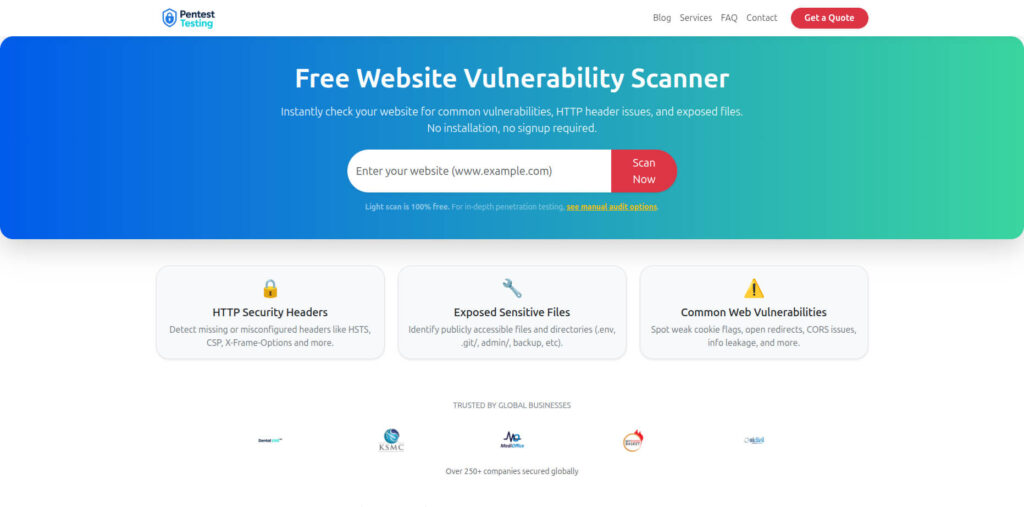
Free Website Vulnerability Scanner by Pentest Testing Corp
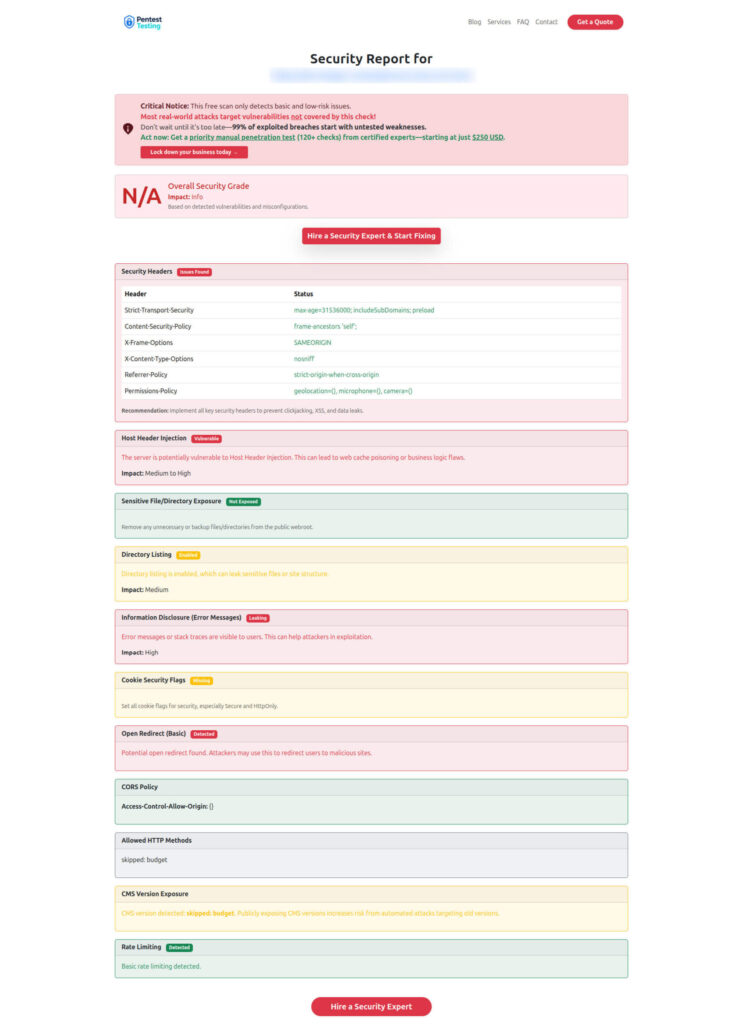
Sample scanner report to check Website Vulnerability
Recommended internal reading (Cyber Rely)
If you want to deepen each pillar of a forensics-ready CI/CD pipeline, these are strong follow-ups:
- Forensics-ready logging patterns: https://www.cybersrely.com/forensics-ready-saas-logging-audit-trails/
- OAuth abuse controls (incident signals you should log): https://www.cybersrely.com/oauth-abuse-consent-phishing-playbook/
- KEV workflow (fast exploited-vuln lane + evidence): https://www.cybersrely.com/cisa-kev-engineering-workflow-exploited/
- Supply-chain CI hardening (SBOM + provenance + gates): https://www.cybersrely.com/supply-chain-ci-hardening-2026/
- Passkeys + token binding (identity signals worth preserving): https://www.cybersrely.com/passkeys-token-binding-stop-session-replay/
Need help implementing this?
If you want an independent, audit-ready validation of your delivery pipeline and security posture:
- Risk and gap discovery: https://www.pentesttesting.com/risk-assessment-services/
- Fix support + verification: https://www.pentesttesting.com/remediation-services/
- Active incident or suspected compromise (DFIR): https://www.pentesttesting.com/digital-forensic-analysis-services/
And for quick checks anytime: https://free.pentesttesting.com/
🔐 Frequently Asked Questions (FAQs)
Find answers to commonly asked questions about Forensics-Ready CI/CD Pipeline.