Ingress-NGINX Retirement: 7 Migration Guardrails to Move to Gateway API Without Breaking Auth, Routing, or TLS
Ingress-NGINX retirement is no longer a future planning item. It is a live platform deadline. Kubernetes has stated that Ingress NGINX maintenance stops in March 2026, with no further bug fixes, releases, or security updates after retirement. It also warned that roughly half of cloud-native environments are affected and that staying on the retired controller leaves users vulnerable. Existing deployments may keep serving traffic, but “still works” is not the same as “still safe.”
The practical move for many teams is Gateway API, but this is not a search-and-replace exercise. Kubernetes explicitly says migration requires planning and that alternatives are not drop-in replacements. The February migration guidance makes the core risk clear: a translation that looks correct can still create outages if it ignores Ingress-NGINX quirks.

Also relevant: If you are still running ingress-nginx and need an immediate patch-and-validation path before any broader migration work, read our Ingress-NGINX Rewrite Injection (CVE-2026-3288) upgrade and validation playbook. It covers exposure checks, safe upgrade sequencing, rollback planning, config-diff validation, and post-patch testing for rewrites, auth, headers, TLS, and rate limits.
What retires in March 2026, and why this is a security problem
The retiring project is the community-managed Ingress-NGINX, not F5’s separate NGINX Ingress product. That distinction matters because some teams will search for “NGINX ingress migration” and assume all NGINX-based controllers are the same. They are not. Kubernetes explicitly separates the retiring community controller from F5’s controller.
The security problem is straightforward:
- no more security patches
- no more bug fixes
- no more releases
- repositories become read-only reference artifacts
That means every unpatched parser edge case, header handling bug, auth bypass, or request-processing issue discovered after retirement becomes your operational problem to absorb, mitigate around, or accept. For external-facing auth and routing infrastructure, that is not a comfortable risk register entry.
Gateway API is the path Kubernetes recommends teams evaluate immediately, alongside other ingress-controller alternatives. For most platform teams, the question is no longer whether to move. It is whether they can move without quietly changing application behavior in production.
How to confirm whether your clusters still depend on ingress-nginx
Kubernetes provides a simple first check:
kubectl get pods --all-namespaces --selector app.kubernetes.io/name=ingress-nginxThat identifies whether the controller is running in the cluster. It is the quickest way to answer the first question: “Are we affected at all?”
That is not enough for a real migration plan, though. You also need to inventory what depends on it.
Start with four views:
kubectl get ingressclass
kubectl get ingress -A
helm list -A | grep ingress
kubectl get ingress -A -o yaml | grep -n "nginx.ingress.kubernetes.io"
Then build a dependency inventory that captures namespace, hostname, path rules, class name, and every NGINX-specific annotation:
kubectl get ingress -A -o json | jq -r '
  .items[] |
  [
    .metadata.namespace,
    .metadata.name,
    (.spec.ingressClassName // .metadata.annotations["kubernetes.io/ingress.class"] // ""),
    (.spec.rules[]?.host // ""),
    ([.metadata.annotations | keys[]? | select(startswith("nginx.ingress.kubernetes.io/"))] | join(","))
  ] | @tsv'
Do not stop at manifests. Also inventory:
- TLS secrets and certificate issuers
- controller ConfigMaps
- custom NGINX snippets
- WAF or rate-limit policies
- oauth2-proxy or external auth dependencies
- load balancer annotations
- source IP preservation settings
- CI/CD jobs that template Ingress resources
This is where many teams discover the real problem: the visible Ingress object is only half the behavior. The other half lives in annotations, controller-wide defaults, and assumptions application teams forgot they were relying on.
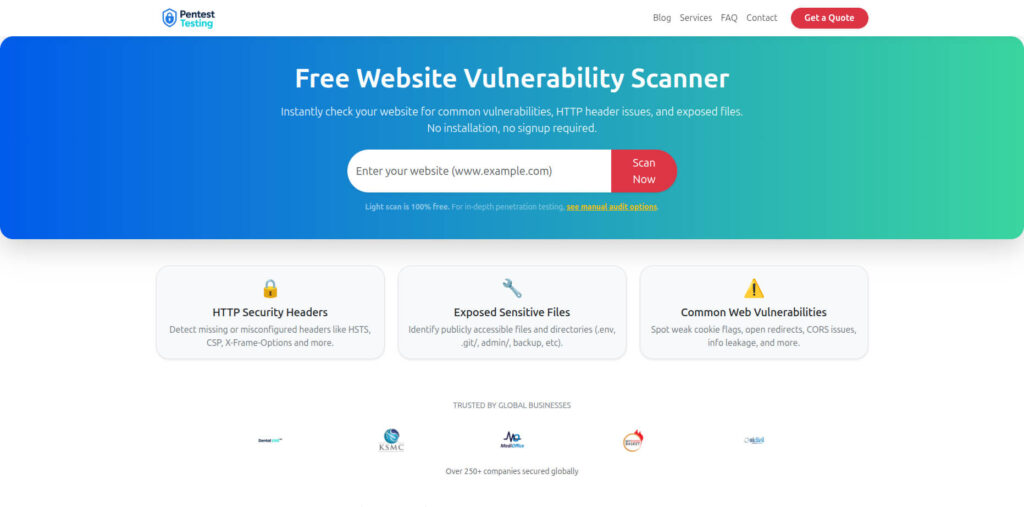
Screenshot of our Free Website Vulnerability Scanner tool page
7 migration guardrails that prevent breakage in auth, routing, and TLS
1) Separate auth behavior from routing behavior before you translate anything
One of the most dangerous assumptions in an ingress-nginx retirement project is that auth lives “inside ingress.” In many real deployments, ingress-nginx is only the place where auth behavior is expressed through annotations such as external auth URLs, sign-in redirects, forwarded headers, and error handling.
Before you convert a single manifest, document:
- which routes are public
- which routes require session auth
- which routes require token auth
- which paths intentionally redirect to sign-in
- which headers upstream services expect after auth succeeds
If your current edge depends on oauth2-proxy, custom auth subrequests, or header injection, treat that as a first-class design decision. Gateway API may handle the route layer cleanly, but auth often moves to an implementation-specific policy, an adjacent proxy, or a service-level control plane. That is why teams break login without touching application code.
A practical test set for auth continuity looks like this:
curl -kis --resolve app.example.com:443:NEW_LB_IP https://app.example.com/
curl -kis --resolve app.example.com:443:NEW_LB_IP https://app.example.com/login
curl -kis --resolve app.example.com:443:NEW_LB_IP https://app.example.com/protected
curl -kis --resolve app.example.com:443:NEW_LB_IP https://app.example.com/api/me
You want to compare old and new behavior for:
- status code
- redirect location
Set-Cookie- forwarded identity headers
- cache headers on authenticated endpoints
For teams that expose sensitive workflows through APIs and edge policies, our recent post on 7 Powerful Steps to API Logic Abuse Detection is a useful companion because it focuses on valid-looking traffic sequences, runtime guardrails, and post-deploy validation rather than just static checks.
2) Rebuild rewrites and regex rules intentionally
Ingress-NGINX rewrite behavior is a common outage source during migration. Teams often rely on rewrite annotations, regex path rules, or controller-specific matching quirks that are not reproduced exactly in the target implementation.
Typical examples:
/api/(.*)rewriting to/\1- app roots rewriting to
/ - legacy path prefixes stripped before upstream
- catch-all regex paths shadowing more specific routes
Gateway API can express clean routing, but you must test path semantics explicitly. A visually similar route does not prove identical behavior.
A minimal example of a Gateway API shape might look like this:
apiVersion: gateway.networking.k8s.io/v1
kind: Gateway
metadata:
  name: public-gw
  namespace: edge
spec:
  gatewayClassName: my-gateway-class
  listeners:
    - name: https
      protocol: HTTPS
      port: 443
      hostname: app.example.com
      tls:
        mode: Terminate
        certificateRefs:
          - kind: Secret
            name: app-example-com-tls
---
apiVersion: gateway.networking.k8s.io/v1
kind: HTTPRoute
metadata:
  name: app-route
  namespace: app
spec:
  parentRefs:
    - name: public-gw
      namespace: edge
  hostnames:
    - app.example.com
  rules:
    - matches:
        - path:
            type: PathPrefix
            value: /api
      filters:
        - type: URLRewrite
          urlRewrite:
            path:
              type: ReplacePrefixMatch
              replacePrefixMatch: /
      backendRefs:
        - name: app-service
          port: 8080
That example is useful as a starting point, but the real work is validating how your chosen implementation handles matching precedence, rewrite filters, trailing slashes, encoded characters, and regex-like patterns. Never cut over a rewrite-heavy app without replaying real paths against old and new edges.
3) Treat TLS migration as certificate behavior, not just certificate attachment
TLS cutovers fail in more ways than expired certs. During ingress-nginx retirement projects, teams often change:
- where TLS terminates
- which secret is referenced
- how SNI is matched
- how HTTP-to-HTTPS redirects happen
- which ciphers or protocol versions are accepted
- which upstream headers signal secure origin
Check all of these before production cutover:
openssl s_client -connect app.example.com:443 -servername app.example.com </dev/null
curl -kis --resolve app.example.com:443:NEW_LB_IP https://app.example.com/
curl -kis --resolve app.example.com:443:NEW_LB_IP http://app.example.com/
You want to confirm:
- the expected certificate is served
- hostname validation is correct
- redirect behavior is unchanged
- secure cookies still work
- absolute URLs generated by the app still use HTTPS
If you rely on X-Forwarded-Proto, X-Forwarded-Host, or similar headers for app logic, validate them explicitly. A TLS migration that keeps the site “up” but breaks secure cookie scope or login redirects is still a failed migration.
4) Recreate header handling and client IP trust on purpose
Many production auth, abuse-detection, and observability controls depend on headers that teams do not think about until they disappear.
During ingress-nginx retirement, verify:
X-Forwarded-ForX-Forwarded-ProtoX-Forwarded-Host- original request ID propagation
- HSTS
- CSP
- cache-control on auth-sensitive routes
- security headers added at the edge
A simple header diff is worth doing:
curl -skI https://app.example.com | sort > old.headers
curl -skI --resolve app.example.com:443:NEW_LB_IP https://app.example.com | sort > new.headers
diff -u old.headers new.headers
This matters even more if your current ingress layer performs header mutation for auth, observability, or webhook verification. Our recent post on 11 Powerful Webhook Security Best Practices: Real-Time is relevant here because it focuses on validation, filtering, replay resistance, and forensic-grade logging at the edge. Those patterns are exactly where header changes can create silent regressions.
5) Re-test rate limiting, body size limits, and timeout behavior under load
A surprising number of production flows depend on ingress behavior that no one documented:
- upload size limits
- request buffering
- websocket or SSE timeouts
- long-poll behavior
- burst and sustained rate limits
- retry behavior between edge and upstream
If you migrate only the “happy path,” you may ship an edge that works for logins and health checks but fails for:
- file uploads
- large API payloads
- long-running exports
- bursty mobile traffic
- webhook spikes
Build targeted traffic tests for the flows that matter. Even a light curl and hey or k6 test suite is better than assuming defaults are close enough.
6) Preserve the effective ingress-nginx config before you touch production
Do not rely only on Git. The generated controller config is often the clearest truth of what is actually happening today.
Capture it:
kubectl exec -n ingress-nginx deploy/ingress-nginx-controller -- nginx -T > ingress-nginx-effective.conf
kubectl get ingress,svc,endpointslices,secrets,configmaps -A -o yaml > pre-cutover-k8s-snapshot.yaml
helm get values -n ingress-nginx ingress-nginx > ingress-nginx-values.yaml
kubectl logs -n ingress-nginx deploy/ingress-nginx-controller --since=24h > ingress-nginx-controller.log
That snapshot gives you:
- current effective NGINX config
- route-to-service mappings
- referenced TLS objects
- controller settings
- recent edge errors before cutover
This is not just rollback insurance. It is evidence. If the cutover changes auth, path handling, or TLS unexpectedly, you need artifacts that let you prove what changed.
7) Plan rollback as a tested path, not a comforting sentence in a ticket
A real rollback plan answers five questions before cutover:
- What exact manifests or Helm values restore the old path?
- How fast can DNS, load balancer, or service attachment be reverted?
- Which secrets and certificates are still valid on rollback?
- What traffic do we need to replay after rollback to confirm recovery?
- Who has the approval and access to execute it?
A rollback checklist should be short enough to run under pressure. If it requires three teams, five approvals, and someone searching Slack for the old values file, it is not a rollback plan.
Planning beyond the immediate patch? Read our Ingress2Gateway 1.0 migration guardrails guide for safer Gateway API transition planning after ingress-nginx upgrade and validation work is complete.
Validation guardrails before production cutover
Before you move live traffic, require a validation pass that checks four layers: route behavior, auth behavior, TLS behavior, and evidence capture.
Use a cutover matrix like this:
- public route, unauthenticated
- login route and callback route
- protected UI route
- protected API route
- upload route or large payload route
- webhook or callback endpoint
- health endpoint
- redirect-heavy legacy path
For each one, record:
- expected status code
- expected redirect target
- required headers
- cookie behavior
- upstream service reached
- request ID present in logs
- rollback owner
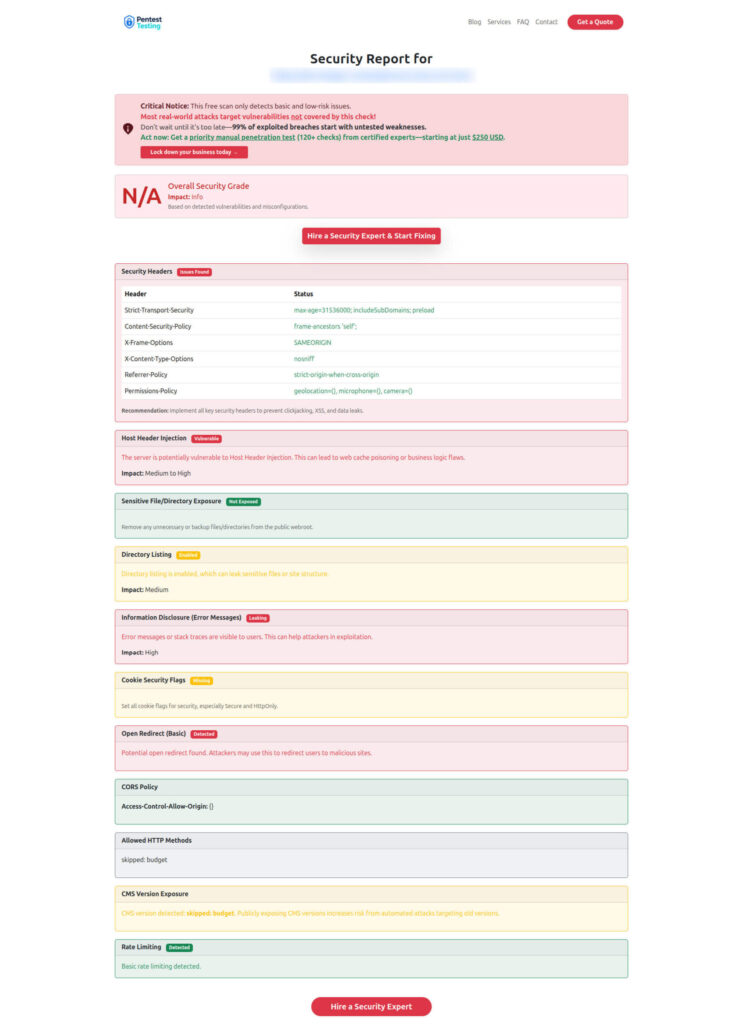
If your migration touches internet-facing services, a fast external pass with the Free Website Vulnerability Scanner can help catch obvious post-cutover header and exposure issues, but it should sit beside—not replace—authenticated route tests, session checks, and application-specific validation. The scanner is designed for quick checks of headers, exposed files, weak cookie settings, info leakage, and similar surface-level issues.
Sample report from the tool to check Website Vulnerability
What evidence and rollback data you should preserve during migration
If the cutover fails, you do not want a debate. You want evidence.
Preserve:
- ingress-nginx effective config export
- old and new manifests
- controller logs before and after cutover
- load balancer IPs and listener mappings
- TLS secret names and cert fingerprints
- auth-related header diffs
- a timestamped test log of key routes
- request IDs for representative transactions
- rollback execution notes
This is the same evidence-first mindset we push in our recent post on 7 Proven Digital Forensic Analysis Steps for Legal Evidence: forensic-grade telemetry, chain-of-custody discipline, and timeline reconstruction matter because incidents are hard to explain after the fact if no one preserved the right artifacts. A bad ingress migration may not look like a classic breach, but it can absolutely become an incident with security, uptime, and audit consequences.
When outside pentest and remediation help is worth it
Some ingress-nginx retirement projects are straightforward. Others are not.
Bring in outside help when you have any of the following:
- multi-tenant routing with custom auth behavior
- heavy use of NGINX-specific annotations or snippets
- shared edge between apps and APIs
- strict compliance evidence requirements
- internet-facing healthcare, fintech, or regulated workloads
- platform teams that cannot afford a trial-and-error cutover
- recent suspicious traffic or known exposure at the edge
That is where Pentest Testing Corp can fit naturally.
Our Risk Assessment Services are useful when you need a structured inventory of exposure, prioritized migration risk, and a roadmap before change begins. Our Remediation Services are the right fit when you already know the gap and need hands-on technical or procedural fixes implemented quickly. And if a failed cutover, suspicious callback behavior, or edge compromise becomes an incident, our Digital Forensic Analysis Services can help confirm what happened, preserve evidence, and guide containment. Those service pages are live and aligned to compliance gap analysis, remediation planning, and evidence-first DFIR support.
If you want related reading from our research library while planning this work, these are the most relevant companion pieces:
- 7 Powerful Steps to API Logic Abuse Detection
- 11 Powerful Webhook Security Best Practices: Real-Time
- 7 Proven Digital Forensic Analysis Steps for Legal Evidence
Those posts are especially useful if your ingress layer fronts sensitive APIs, callback endpoints, or incident-response evidence streams.
Final thought
Use this month to inventory ingress exposure and line up migration validation before you carry an unmaintained controller into production. Gateway API can be a strong destination, but only if you preserve the behaviors you actually depend on: auth, rewrites, headers, client IP trust, rate controls, and TLS. Kubernetes has already made the risk explicit. The teams that do best here will be the ones that treat ingress-nginx retirement as both a platform migration and a security-control migration.
🔐 Frequently Asked Questions (FAQs)
Find answers to commonly asked questions about Ingress-NGINX Retirement.