7 Powerful Fixes for Prompt Injection (Reprompt)
A new class of prompt injection problems keeps surprising otherwise-solid engineering teams: parameter-to-prompt flows (often called “URL-to-prompt” or Reprompt) where a URL parameter like ?q= silently becomes an implicit instruction to an AI assistant. If your assistant auto-runs tools (search, retrieval, ticketing, email, CRM, code exec, cloud queries), a single crafted URL can turn into a confused-deputy scenario that drives unintended tool use and data exposure.
This guide is dev-first and shippable. You’ll get engineering controls you can land this sprint—UI intent gates, strict parsing, tool-use hardening, and egress boundaries—plus copy/paste code.

1) Threat model: parameter-to-prompt as a confused-deputy pattern
Classic injection (SQLi, command injection) exploits a parser or interpreter. Reprompt-style prompt injection exploits something different:
- Your app implicitly upgrades untrusted data (a URL parameter) into authority (a prompt/instruction).
- The model becomes the “deputy” that can call tools.
- The attacker doesn’t need to “break” the model—only to get your system to treat data as intent.
Minimal risk statement (use this in your design doc):
Any input source that can prefill assistant text (URL params, deep links, chat exports, tickets, emails, docs) must be treated as untrusted data and must not trigger tool execution without explicit user intent.
Control objective
Create a hard separation between:
- Untrusted content (URL params, pasted text, retrieved docs)
- User intent (a deliberate “Run” action and/or confirmed tool action)
- Tool authority (scoped permissions + strict schemas)
2) Where URL-prefill happens (and why it’s risky)
URL-to-prompt patterns appear in more places than teams realize:
- Web apps with “shareable” assistant links:
/?q=… - Support widgets embedded across marketing/docs pages
- Internal copilots that load context from query params (ticket IDs, incident IDs, customer IDs)
- Slack/Teams links that open a prefilled assistant panel
- Admin consoles with “diagnose this error” deep links
- RAG assistants where URL params choose corp spaces or connectors
Why it’s risky: URL parameters are ambient input. They can arrive via referrers, bookmarks, shared docs, phishing, shortened links, QR codes, or internal chat paste—often outside normal user scrutiny.
Related post: Kev-To-Deploy in 24–72 Hours: A Practical “Exploited-Now” Engineering Pipeline
Turn CISA KEV alerts into verified mitigations and patched deploys fast—ownership routing, exposure checks, canary rollout patterns, and telemetry-backed proof.
Read now: https://www.cybersrely.com/kev-to-deploy-24-72h-engineering-pipeline/
3) Fix #1: Disable auto-execution; require explicit “Run” (with clear UI confirmation)
If you only ship one control this sprint, ship this:
Never auto-run a prompt that was prefilled from a URL parameter.
Frontend (React) — prefill safely, but do NOT auto-run
import { useEffect, useMemo, useState } from "react";

function getQueryParam(name: string): string | null {
  const url = new URL(window.location.href);
  return url.searchParams.get(name);
}

function isPrefilledFromURL(): boolean {
  const url = new URL(window.location.href);
  return url.searchParams.has("q") || url.searchParams.has("prompt");
}

export default function Assistant() {
  const [input, setInput] = useState("");
  const [prefilled, setPrefilled] = useState(false);

  useEffect(() => {
    const q = getQueryParam("q") ?? getQueryParam("prompt");
    if (q) {
      setInput(q);
      setPrefilled(true);
    }
  }, []);

  async function run() {
    // Intentionally only runs on explicit user action
    await fetch("/api/assistant/run", {
      method: "POST",
      headers: { "content-type": "application/json" },
      body: JSON.stringify({
        input,
        source: prefilled ? "url-prefill" : "user-typed",
        explicit_user_action: true,
      }),
    });
  }

  return (
    <div style={{ maxWidth: 780 }}>
      {prefilled && (
        <div style={{ padding: 12, border: "1px solid #ddd", marginBottom: 12 }}>
          <strong>Prefilled from a link.</strong> Review the text before running.
          <div style={{ fontSize: 12, marginTop: 6 }}>
            Tip: Treat link-prefill as untrusted data (prompt injection risk).
          </div>
        </div>
      )}

      <textarea
        value={input}
        onChange={(e) => {
          setInput(e.target.value);
          setPrefilled(false); // user is now in control
        }}
        rows={8}
        style={{ width: "100%" }}
      />

      <button onClick={run} style={{ marginTop: 10 }}>
        Run
      </button>
    </div>
  );
}
Backend guard — refuse “auto-run” from URL sources
import express from "express";

const app = express();
app.use(express.json());

app.post("/api/assistant/run", (req, res) => {
  const { source, explicit_user_action } = req.body ?? {};

  // Hard rule: URL-prefill must require explicit user action
  if (source === "url-prefill" && explicit_user_action !== true) {
    return res.status(400).json({ error: "explicit_user_action_required" });
  }

  // Continue to parsing/tool policy...
  return res.json({ ok: true });
});
UI copy that reduces risk without friction:
- “Prefilled from a link—review before running.”
- “Tools won’t run until you confirm.”
4) Fix #2: Strict parsing (allowlists, length caps, normalize/strip control chars)
Treat URL-derived text like hostile input. The goal isn’t “sanitize until safe”—the goal is make interpretation predictable and minimize hidden instruction channels.
Step A — normalize + strip control characters (including bidi controls)
const CONTROL_CHARS = /[\u0000-\u001F\u007F]/g; // ASCII controls
const BIDI_CHARS = /[\u202A-\u202E\u2066-\u2069]/g; // bidi overrides/isolates

export function normalizeUserText(s: string): string {
  // Normalize Unicode to reduce “looks same, acts different” cases
  const nfkc = s.normalize("NFKC");

  // Remove control characters and bidi controls
  const noControls = nfkc.replace(CONTROL_CHARS, "");
  const noBidi = noControls.replace(BIDI_CHARS, "");

  // Collapse excessive whitespace
  return noBidi.replace(/\s+/g, " ").trim();
}
Step B — allowlist fields and cap lengths with Zod (Node/TS)
import { z } from "zod";
import { normalizeUserText } from "./normalize";

const RunRequest = z.object({
  input: z.string().min(1).max(2000),
  source: z.enum(["user-typed", "url-prefill", "paste", "api"]),
  explicit_user_action: z.boolean().optional(),
});

export function parseRunRequest(body: unknown) {
  const parsed = RunRequest.parse(body);
  return {
    ...parsed,
    input: normalizeUserText(parsed.input).slice(0, 2000),
  };
}
Step C — same idea in Python (FastAPI + Pydantic)
from pydantic import BaseModel, Field
import unicodedata
import re

CONTROL = re.compile(r"[\x00-\x1F\x7F]")
BIDI = re.compile(r"[\u202A-\u202E\u2066-\u2069]")

def normalize_user_text(s: str) -> str:
    s = unicodedata.normalize("NFKC", s)
    s = CONTROL.sub("", s)
    s = BIDI.sub("", s)
    s = re.sub(r"\s+", " ", s).strip()
    return s[:2000]

class RunRequest(BaseModel):
    input: str = Field(min_length=1, max_length=2000)
    source: str
    explicit_user_action: bool | None = None
Why this matters for prompt injection
- It blocks “invisible” characters used to smuggle instructions.
- It ensures downstream tooling sees predictable shapes.
- It reduces accidental “prompt concatenation” surprises.
5) Fix #3: Tool-use hardening (least privilege, constrained schemas, deny-by-default)
Most real-world AI assistant failures happen after the model chooses a tool. Your system should assume the model is confusable and build mechanical safety:
- Deny-by-default tool access
- Strict tool schemas
- User intent required for sensitive tools
- Least-privilege connectors (scoped tokens, per-tenant isolation)
Define tools with strict schemas (AJV / JSON Schema)
import Ajv from "ajv";

const ajv = new Ajv({ allErrors: true });

type ToolName = "search_docs" | "get_ticket" | "export_data";

const toolSchemas: Record<ToolName, object> = {
  search_docs: {
    type: "object",
    additionalProperties: false,
    required: ["query"],
    properties: {
      query: { type: "string", minLength: 1, maxLength: 200 },
      // hard cap to prevent wide exfil queries
      top_k: { type: "integer", minimum: 1, maximum: 5 },
    },
  },
  get_ticket: {
    type: "object",
    additionalProperties: false,
    required: ["ticket_id"],
    properties: {
      ticket_id: { type: "string", pattern: "^[A-Z]+-[0-9]+$" },
    },
  },
  export_data: {
    type: "object",
    additionalProperties: false,
    required: ["dataset", "format"],
    properties: {
      dataset: { type: "string", enum: ["invoices", "users", "audit_events"] },
      format: { type: "string", enum: ["csv"] },
    },
  },
};

function validateToolArgs(tool: ToolName, args: unknown) {
  const validate = ajv.compile(toolSchemas[tool]);
  if (!validate(args)) {
    throw new Error("tool_args_invalid");
  }
  return args as any;
}
Enforce “intent gates” per tool
type Intent = "chat_only" | "read_only" | "export" | "admin";

const toolPolicy: Record<ToolName, { min_intent: Intent }> = {
  search_docs: { min_intent: "read_only" },
  get_ticket: { min_intent: "read_only" },
  export_data: { min_intent: "export" },
};

const intentRank: Record<Intent, number> = {
  chat_only: 0,
  read_only: 1,
  export: 2,
  admin: 3,
};

function assertIntent(userIntent: Intent, tool: ToolName) {
  if (intentRank[userIntent] < intentRank[toolPolicy[tool].min_intent]) {
    throw new Error("intent_insufficient_for_tool");
  }
}
Practical UX pattern: “Preview tool call” → “Confirm”
For high-risk tools (export, email, ticket updates), show a tool preview:
- Tool name
- Exact parameters
- Data scope (tenant, dataset)
- One-click confirm
This is one of the most effective Copilot security patterns because it forces explicit user intent at the decision point.
6) Fix #4: Egress & data boundaries (retrieval isolation, scoped connectors, output filters)
Reprompt prompt injection often aims at data exfiltration: “pull secrets from connectors and summarize them.” You stop that with boundaries the model cannot talk its way around.
A) Retrieval isolation (RAG safety)
Rules that scale:
- RAG retrieval must be tenant-scoped
- Separate corp docs vs. personal docs vs. incident artifacts
- Never let URL params choose an unrestricted retrieval scope
type RetrievalScope = "tenant_docs" | "public_docs";

function getScopeFromUI(userSelected: RetrievalScope, source: string): RetrievalScope {
  // URL-prefill cannot expand scope
  if (source === "url-prefill") return "public_docs";
  return userSelected;
}
B) Scoped connectors (least privilege by design)
If your assistant can access email/drive/CRM:
- Use scoped tokens
- Prefer read-only defaults
- Require step-up auth for exports or broad searches
- Log connector access as security events
C) Output filtering (prevent accidental sensitive disclosure)
You should assume that sometimes sensitive strings will get into context. Put a filter in front of the final output.
import re

SECRET_PATTERNS = [
    re.compile(r"AKIA[0-9A-Z]{16}"),            # example access key shape
    re.compile(r"-----BEGIN (?:RSA|EC) PRIVATE KEY-----"),
    re.compile(r"(?i)\bapi[_-]?key\b\s*[:=]\s*[A-Za-z0-9_\-]{16,}"),
]

def redact_secrets(text: str) -> str:
    out = text
    for pat in SECRET_PATTERNS:
        out = pat.sub("[REDACTED]", out)
    return out
D) Egress budgets (limit “how much can leave”)
Add hard caps:
- Max characters per response
- Max rows/records for exports
- Max tool calls per turn
- Block external destinations unless explicitly allowed
export function enforceEgressBudget(text: string) {
  const MAX_CHARS = 6000;
  if (text.length > MAX_CHARS) {
    return text.slice(0, MAX_CHARS) + "\n\n[Output truncated by egress policy]";
  }
  return text;
}
7) “Evidence you’re safe”: logging requirements + red-team tests (mapped to OWASP guidance)
Security leaders don’t want “we think it’s fine.” They want evidence.
A) What to log (minimum viable forensics)
Log these as structured events:
assistant.run.requested(source: url-prefill vs user-typed)assistant.intent.confirmed(what intent level was granted)assistant.tool.proposed(tool + args hash)assistant.tool.executed(tool + result metadata, not secrets)assistant.output.filtered(redaction count, reasons)assistant.policy.denied(which rule triggered)
{
  "ts":"2026-02-08T10:12:30Z",
  "event_type":"assistant.tool.executed",
  "user_id":"u_123",
  "tenant_id":"t_99",
  "source":"url-prefill",
  "intent":"read_only",
  "tool":"search_docs",
  "args_hash":"sha256:...",
  "result_meta":{"hits":3},
  "decision":"allow"
}
B) Red-team tests you can automate in CI
Goal: Ensure a URL-prefill prompt injection attempt cannot trigger privileged tools or broaden data scope.
Jest (Node) — URL-prefill cannot export
import request from "supertest";
import { app } from "./app";

test("url-prefill cannot trigger export tool without intent", async () => {
  const res = await request(app)
    .post("/api/assistant/run")
    .send({
      input: "prefilled text",
      source: "url-prefill",
      explicit_user_action: true
    });

  expect(res.status).toBe(200);
  // Then assert tool router never allows export without explicit intent confirmation
});
Policy test — deny-by-default tool registry
test("unknown tools are denied", () => {
  expect(() => validateToolArgs("unknown_tool" as any, {})).toThrow();
});
C) When you want a third-party validation
If you’re shipping an assistant with tools/connectors and need an external baseline:
- Risk assessment planning and control validation: https://www.pentesttesting.com/risk-assessment-services/
- Fix verification and hardening support: https://www.pentesttesting.com/remediation-services/
- If something goes wrong and you need evidence-driven response: https://www.pentesttesting.com/digital-forensic-analysis-services/
Free Website Vulnerability Scanner tool Dashboard
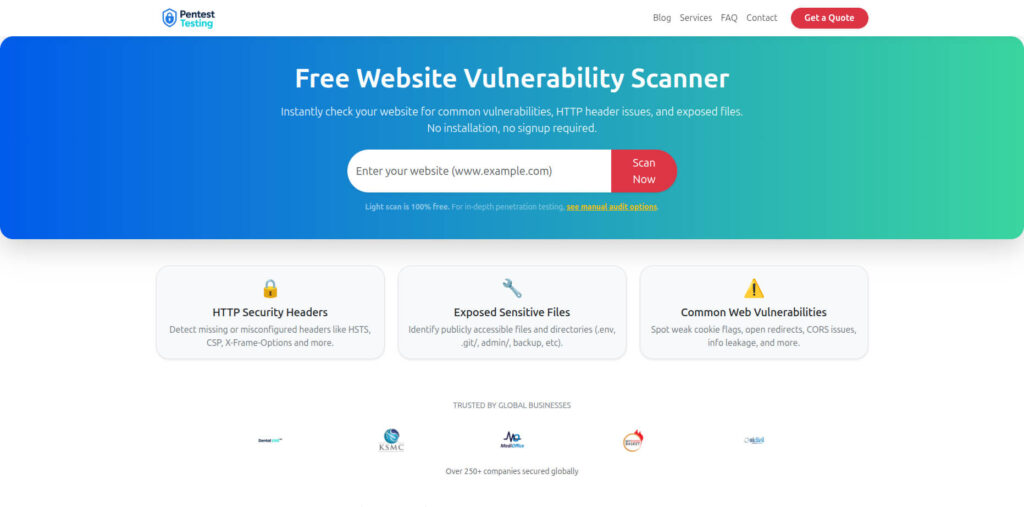
Link to tool page: https://free.pentesttesting.com/
Sample report screenshot to check Website Vulnerability
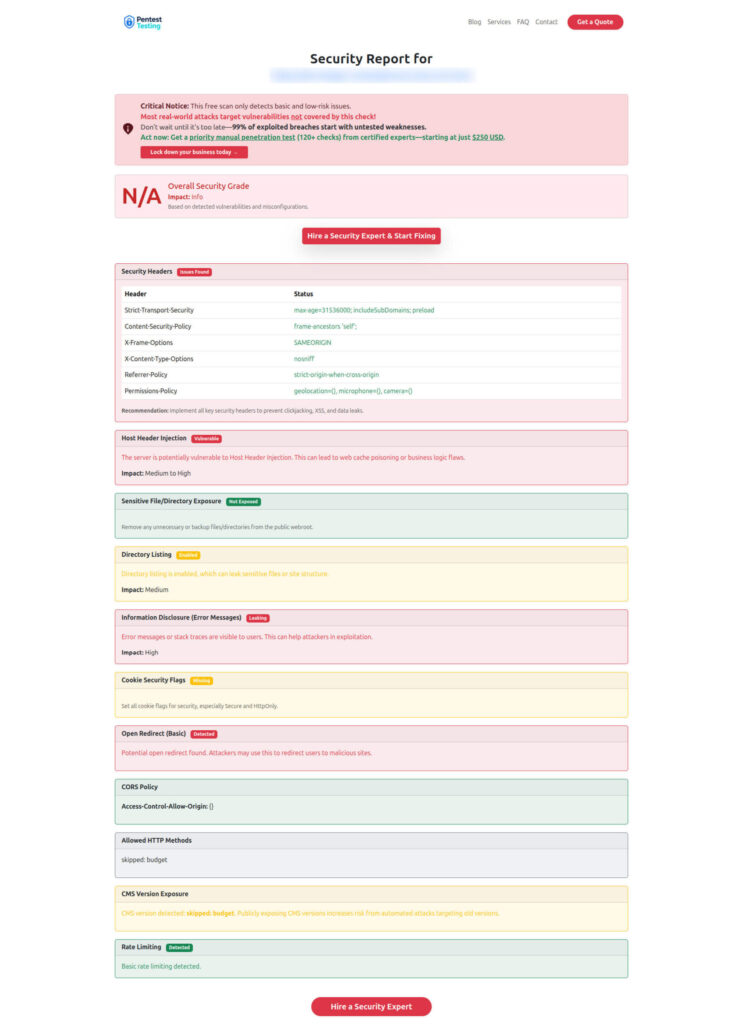
Ship-this-sprint checklist (copy/paste)
UI
- URL-prefill never auto-runs
- “Run” button required + clear “prefilled from link” banner
- Tool preview + confirm for exports/admin actions
Backend
- Normalize + strip control/bidi chars
- Allowlists + length caps (input and tool args)
- Deny-by-default tool registry + strict schemas
Data
- Tenant-scoped retrieval isolation
- Scoped connectors (least privilege, step-up for high risk)
- Output filter + egress budgets
Assurance
- Structured logs for assistant/tool decisions
- CI tests for Reprompt prompt injection attempts
- Regular red-team scenarios (tool misuse, scope expansion, data leakage)
Related reading on Cyber Rely (internal)
If you’re building an engineering-grade security program around AI agent hardening, these pair well with the controls above:
- Forensics-ready telemetry patterns (great for assistant audit trails): https://www.cybersrely.com/forensics-ready-telemetry/
- Security chaos experiments for CI/CD (prove controls don’t regress): https://www.cybersrely.com/security-chaos-experiments-for-ci-cd/
- Supply-chain CI hardening wins (reduce pipeline blast radius): https://www.cybersrely.com/supply-chain-ci-hardening-2026/
- Passkeys + token binding (reduce replay and session theft): https://www.cybersrely.com/passkeys-token-binding-stop-session-replay/
🔐 Frequently Asked Questions (FAQs)
Find answers to commonly asked questions about Fixes for Prompt Injection (Reprompt).