7 Powerful Controls for GhostPoster Malware Defense
Why GhostPoster malware changed the browser extension threat model
GhostPoster malware is a recent example of how malicious Firefox extensions can bypass “normal” enterprise controls. In this campaign, malicious add-ons concealed JavaScript inside their own logo images using steganography malware techniques, allowing payload delivery that looks like “just an image” during review.
For engineering leaders, the uncomfortable truth is this: the browser is a runtime for third-party code sitting inside your workforce’s identity sessions. A single extension supply-chain incident can:
- Read or modify pages where your engineers work (cloud consoles, CI/CD, ticketing, admin portals)
- Steal session tokens or replay authenticated actions
- Inject scripts, trackers, and hidden iframes
- Create a stealthy backdoor by beaconing out only sometimes (low-and-slow)
This post gives you a blueprint to stop GhostPoster-style incidents with developer-friendly controls that won’t kill productivity.

New: We just published “7 Unbreakable BRICKSTORM vCenter Security Controls”—a practical guide to control-plane hardening, detection-as-code CI, and rebuild-first response. Read it here: https://www.cybersrely.com/brickstorm-vcenter-security-controls/
Threat model: why extension supply-chain attacks bypass “normal” controls
Traditional endpoint controls assume “applications” are the risk boundary. Extensions break that assumption.
What makes the browser extension attack surface different
- Trusted distribution channel: Users assume “store = safe.” Attackers ride that trust.
- Powerful permissions: “Read and change data on websites you visit” is effectively a mini-MITM inside the browser.
- Update path risk: Even “good” extensions can turn bad after an update or ownership change.
- Review blind spots: Obfuscated code, staged payloads, and steganography can hide malicious logic from quick review.
Practical impact in engineering orgs
Engineering teams run privileged sessions all day: cloud admin consoles, secrets managers, CI/CD, registries, and production dashboards. A malicious Firefox extension can be a supply-chain incident in your workforce, not just your codebase.
Control 1: Default-deny browser extension allowlist (Firefox) with ExtensionSettings
If you do only one thing: implement a browser extension allowlist with a default-deny posture.
Policy goal
- Block installation of all extensions by default
- Explicitly allow (or force-install) a small set of vetted extensions
- Provide a clear message so devs know how to request new ones
policies.json (Firefox): block all, allow only approved IDs
Create a Firefox enterprise policy file at:
- Windows:
C:\Program Files\Mozilla Firefox\distribution\policies.json - macOS:
/Applications/Firefox.app/Contents/Resources/distribution/policies.json(for testing; prefer MDM/config profiles for production) - Linux:
/etc/firefox/policies/policies.json(or<firefox_install_dir>/distribution/policies.jsondepending on distro)
After deployment, verify in Firefox at about:policies.
{
  "policies": {
    "ExtensionSettings": {
      "*": {
        "installation_mode": "blocked",
        "blocked_install_message": "Extensions are restricted. Request approval via SecOps ticket: EXT-ALLOWLIST."
      },

      "[email protected]": {
        "installation_mode": "force_installed",
        "install_url": "https://extensions.company.tld/firefox/ublock0-latest.xpi"
      },

      "{12345678-1234-1234-1234-1234567890ab}": {
        "installation_mode": "allowed"
      }
    }
  }
}
Notes for real-world use
- Prefer an internal extension mirror (example:
extensions.company.tld) so installs and updates come from a controlled source. - Keep the allowlist small. Every new extension is a new vendor and supply chain.
Windows GPO/Registry example (set ExtensionSettings)
If you deploy via registry policy, this is the conceptual mapping (exact implementation varies by template/MDM):
; Conceptual example (do not paste blindly)
[HKEY_LOCAL_MACHINE\SOFTWARE\Policies\Mozilla\Firefox]
"ExtensionSettings"="{...your JSON...}"
Control 2: Restrict extension install origins with InstallAddonsPermission
Allowlisting extensions is best, but also restrict where installs can come from (internal mirror only).
{
  "policies": {
    "InstallAddonsPermission": {
      "Default": false,
      "Allow": [
        "https://extensions.company.tld/"
      ]
    }
  }
}
Why this matters: It blocks “drive-by” installs from random domains and keeps installs inside your governed channel.
Control 3: Enforce a hardened browser baseline for engineers
A browser extension allowlist is your primary control. The baseline keeps the rest tight.
Recommended baseline moves (practical, not painful)
- Separate profiles: one “Corp” profile (strict allowlist) and one “Dev” profile (still governed, but with a broader allowlist).
- Profile isolation: keep admin consoles and production dashboards in the most locked-down profile.
- Permission minimization: avoid extensions that require “all sites” access unless justified.
- Update discipline: never let users pin old browsers; keep Firefox on an enterprise-managed update cadence.
Detectable baseline drift (simple check)
Use a lightweight script to verify policy presence and hash it for evidence:
$policyPath = "C:\Program Files\Mozilla Firefox\distribution\policies.json"
if (!(Test-Path $policyPath)) { throw "Missing Firefox policies.json" }
Get-FileHash $policyPath -Algorithm SHA256 | Format-List
Control 4: Telemetry you actually need (and how to collect it)
You can’t respond fast without knowing what’s installed.
Minimum telemetry set
- Extension inventory (ID, name, version)
- Install/uninstall /update timestamps (file creation + changes)
- Permission changes (manifest diffs across versions)
- Browser-to-network beaconing patterns (DNS/HTTP destinations)
OSQuery: enumerate Firefox extensions (cross-platform)
Windows (typical per-user profile paths):
SELECT
  datetime(mtime, 'unixepoch') AS modified,
  path,
  size
FROM file
WHERE path LIKE 'C:\\Users\\%\\AppData\\Roaming\\Mozilla\\Firefox\\Profiles\\%\\extensions\\%.xpi';
macOS (typical per-user profile paths):
SELECT
  datetime(mtime, 'unixepoch') AS modified,
  path,
  size
FROM file
WHERE path LIKE '/Users/%/Library/Application Support/Firefox/Profiles/%/extensions/%.xpi';
Ship the results to your SIEM (evidence + hunting)
Schedule OSQuery daily and forward results to your log pipeline. This becomes both:
- a hunt dataset during incidents, and
- an audit evidence feed proving your allowlist is enforced.
Control 5: Pre-approve extensions with automated static checks
GhostPoster malware highlighted a simple truth: reviewers often miss hidden payloads. Add automation.
Step A: unpack XPI and scan for suspicious patterns
Here’s a Python scanner that flags “extra bytes after PNG end-of-file” (a common hiding technique), plus simple JavaScript indicators:
import zipfile, pathlib, re

PNG_IEND = b"\x49\x45\x4E\x44\xAE\x42\x60\x82"  # IEND chunk + CRC (common marker)

def has_trailing_bytes_after_iend(png_bytes: bytes) -> bool:
    i = png_bytes.rfind(PNG_IEND)
    return i != -1 and (i + len(PNG_IEND) < len(png_bytes))

def scan_xpi(xpi_path: str):
    xpi = pathlib.Path(xpi_path)
    findings = []

    with zipfile.ZipFile(xpi, "r") as z:
        for name in z.namelist():
            data = z.read(name)

            # Flag PNGs with trailing bytes after IEND
            if name.lower().endswith(".png") and has_trailing_bytes_after_iend(data):
                findings.append(f"[PNG_TRAILING_BYTES] {name}")

            # Simple heuristics for obfuscated JS
            if name.lower().endswith((".js", ".mjs")):
                if re.search(rb"eval\(|Function\(|atob\(|\\x[0-9a-fA-F]{2}", data):
                    findings.append(f"[JS_OBFUSCATION_HINT] {name}")

            # Manifest sanity
            if name.lower().endswith("manifest.json"):
                if b"webRequest" in data or b"<all_urls>" in data:
                    findings.append(f"[HIGH_PRIVILEGE_PERMISSION] {name}")

    return findings

if __name__ == "__main__":
    import sys
    for f in scan_xpi(sys.argv[1]):
        print(f)
Step B: gate the allowlist in CI (policy-as-code)
Store your allowlist in git and block merges if a new extension fails checks:
name: extension-allowlist-gate
on: [pull_request]

jobs:
  scan:
    runs-on: ubuntu-latest
    steps:
      - uses: actions/checkout@v4
      - name: Scan proposed XPIs
        run: |
          python3 tools/scan_xpi.py artifacts/*.xpi | tee scan.out
          if grep -E "PNG_TRAILING_BYTES|JS_OBFUSCATION_HINT|HIGH_PRIVILEGE_PERMISSION" scan.out; then
            echo "Block: extension failed allowlist checks"
            exit 1
          fi
Control 6: Runtime detections for suspicious extension behavior
Static checks reduce risk. Runtime telemetry catches what slips through.
High-signal detections (start here)
- New
.xpifiles created in Firefox profiles outside approved change windows - Sudden spikes in DNS queries / outbound connections from
firefox.exe - Extensions that request new permissions after update
- Hidden iframes or script injections on corporate domains
Example: Windows Defender for Endpoint KQL (pattern)
DeviceFileEvents
| where FolderPath has @"\Mozilla\Firefox\Profiles\"
| where FileName endswith ".xpi"
| project Timestamp, DeviceName, InitiatingProcessFileName, FolderPath, FileName, SHA256
| order by Timestamp desc
Control 7: Response runbook for a GhostPoster-style incident
When a malicious Firefox extension lands in your fleet, speed matters more than perfection.
Phase 1 (0-2 hours): contain
- Push a policy update to block all extensions except the absolute minimum.
- Add known-bad IDs to an uninstall list.
- Isolate high-risk users (admins, CI/CD maintainers) if needed.
Mass uninstall with Firefox policy:
{
  "policies": {
    "Extensions": {
      "Uninstall": [
        "[email protected]",
        "{deadbeef-dead-beef-dead-beefdeadbeef}"
      ]
    }
  }
}
Phase 2 (same day): invalidate sessions + rotate credentials
- Revoke SSO sessions for users with the malicious extension installed.
- Rotate high-risk tokens: cloud keys, CI secrets, browser-saved creds, API keys.
- Force re-auth where possible (short sessions beat “maybe compromised” sessions).
Phase 3 (24-72 hours): targeted hunts
- Search for outbound destinations contacted by the extension.
- Review browser storage and profile artifacts for persistence.
- Validate that allowlist policies are applied and immutable.
Developer guidance: extension vetting checklist (fast and practical)
Use this as your developer-facing checklist when they request an extension:
- Who is the publisher? Is it a known vendor with a public track record?
- What permissions are requested? Does it need
<all_urls>or “read/change all data”? - Does it phone home? What domains does it contact?
- Is the extension “free VPN”, “download anything”, or “magic ad blocker”? These are common red flags.
- Is the update history stable? Sudden major changes without transparency are risky.
- Can the team use a built-in browser feature instead of an extension?
Audit evidence: map controls to SOC 2 / ISO / PCI (and generate proof automatically)
Auditors don’t want promises. They want evidence.
Evidence pack (automated)
Generate a weekly artifact bundle that includes:
- The deployed
policies.jsonhash (or MDM configuration export) - The approved allowlist inventory (IDs + versions)
- Fleet-wide extension inventory snapshots (OSQuery results)
- Incident tickets for exceptions (with expiry date)
Evidence pack builder (example):
import json, pathlib, zipfile, datetime

out = pathlib.Path("evidence")
out.mkdir(exist_ok=True)

# 1) Copy policy file (path will vary by OS)
policy = pathlib.Path("policies/policies.json")
(out / "policies.json").write_bytes(policy.read_bytes())

# 2) Snapshot allowlist
allowlist = json.load(open("allowlist.json"))
(out / "allowlist.json").write_text(json.dumps(allowlist, indent=2))

# 3) Save latest OSQuery export (assumes your pipeline drops a CSV/JSON here)
latest = pathlib.Path("telemetry/latest_extensions_inventory.json")
(out / "extensions_inventory.json").write_bytes(latest.read_bytes())

# 4) Zip it
stamp = datetime.datetime.utcnow().strftime("%Y%m%d")
zip_path = pathlib.Path(f"browser_extension_evidence_{stamp}.zip")
with zipfile.ZipFile(zip_path, "w", zipfile.ZIP_DEFLATED) as z:
    for p in out.glob("*"):
        z.write(p, arcname=p.name)

print(f"OK: wrote {zip_path}")
Screenshot callouts for your internal workflow
Free Website Vulnerability Scanner tools page (baseline scanning)
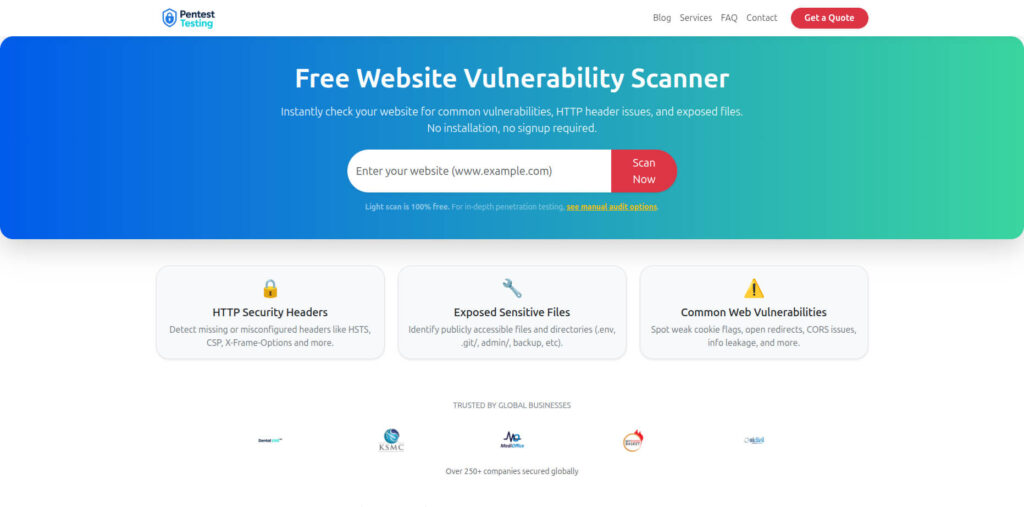
- Try it here: https://free.pentesttesting.com/
Sample report to check Website Vulnerability (what evidence looks like)
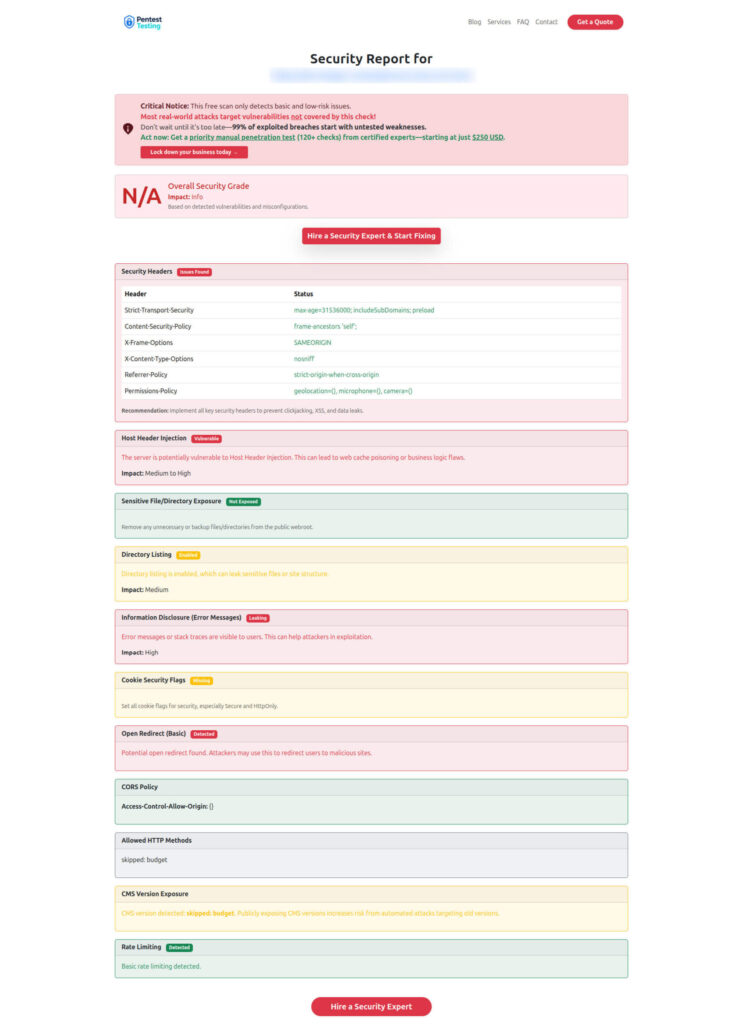
How Cyber Rely and Pentest Testing Corp can help
If you want these controls implemented quickly (and with evidence), here are the most relevant next steps:
- Risk Assessment Services: https://www.pentesttesting.com/risk-assessment-services/
- Remediation Services: https://www.pentesttesting.com/remediation-services/
- Free Website Vulnerability Scanner: https://free.pentesttesting.com/
Recent reads from our blog
If you’re building a broader supply-chain and identity defense program, these are good next reads:
- npm supply chain attack 2025: ‘Shai-Hulud’ CI fixes – https://www.cybersrely.com/npm-supply-chain-attack-2025/
- Gate CI with CISA KEV JSON: Ship Safer Builds – https://www.cybersrely.com/gate-ci-with-cisa-kev-json/
- AI Phishing Prevention: 7 Proven Dev Controls – https://www.cybersrely.com/ai-phishing-prevention-dev-controls/
- Fix a Leaked GitHub Token with 7 Powerful Steps – https://www.cybersrely.com/fix-a-leaked-github-token/
- 9 Battle-Tested Non-Human Identity Security Controls – https://www.cybersrely.com/non-human-identity-security-controls/
- 7 Powerful PCI DSS 4.0.1 MFA CI/CD Gates – https://www.cybersrely.com/pci-dss-4-0-1-mfa-ci-cd-gates/
- PCI DSS 4.0.1 Remediation: 7 Proven Patterns Devs Can Ship Today – https://www.cybersrely.com/pci-dss-4-0-1-remediation-patterns/
🔐 Frequently Asked Questions (FAQs)
Find answers to commonly asked questions about GhostPoster Malware Defense.